Online Manual
D8 User Manual

5 1.3 Rear Panel
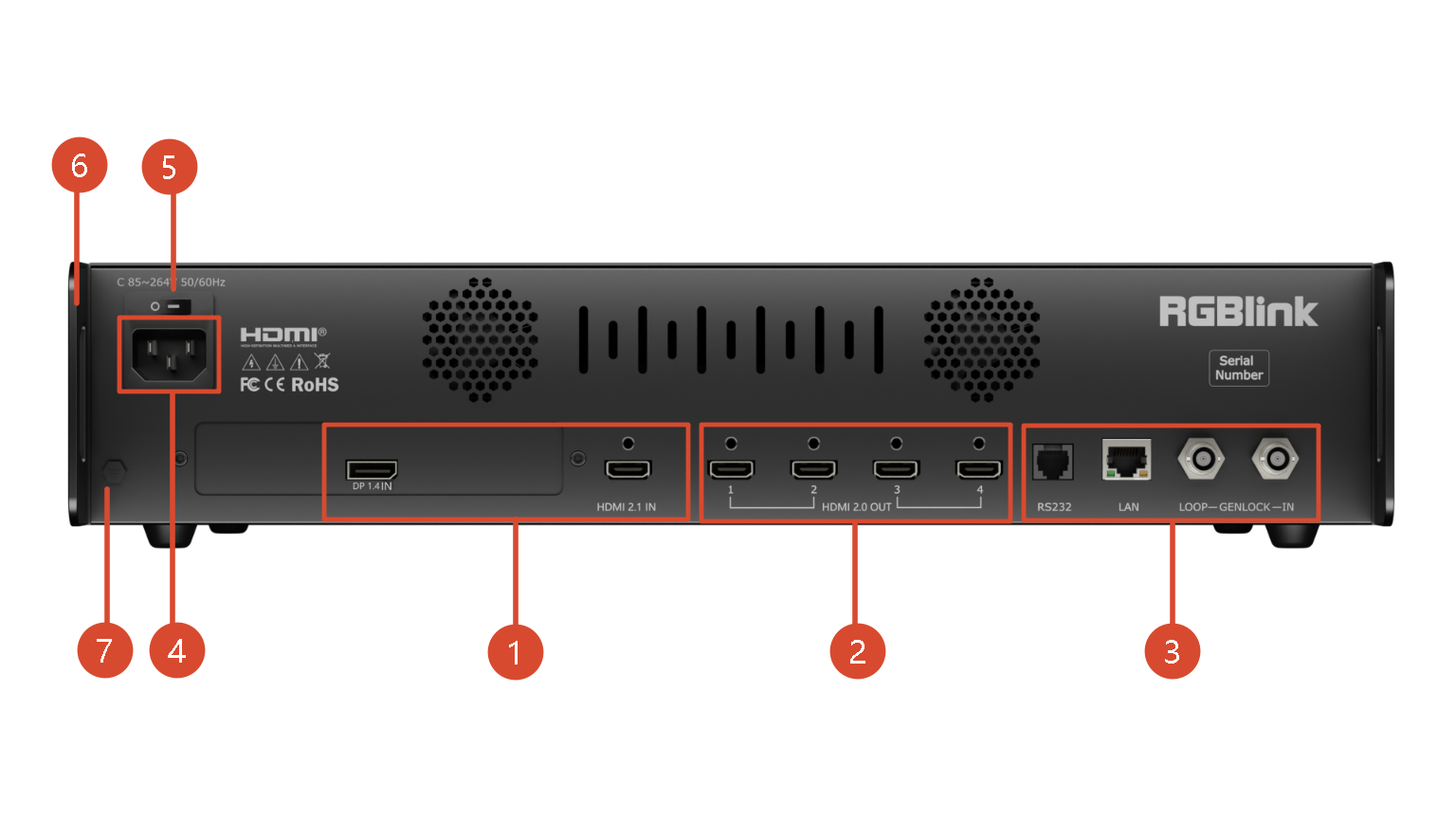
| NO. | Name | Description |
|---|---|---|
| ① | Input Interface | + D8 is standard with 2× HDMI 2.1 Input Interface + D8 PLUS is standard with 1×HDMI 2.1 Input Interface and 1× DP 1.4 Input Interface |
| ② | Output Interface | Standard with Quad HDMI 2.0 Output Ports |
| ③ | Communication Interface | Standard with 1×RS 232 Serial Port,1×LAN Network Port,1×IN-GENLOCK-LOOP Port |
| ④ | Power Interface | Connect standard power cable to device and plug into wall socket |
| ⑤ | Power Switch | Power on or off the device |
| ⑥ | Interface Protector | Used to pull out device, fix cables and protect interfaces from collision |
| ⑦ | Ground Screw | Increase the safety and reliability, and avoid accidents such as fire and explosion caused by static electricity |