Online Manual
FLEX-16pro

2.1.2 Front Panel
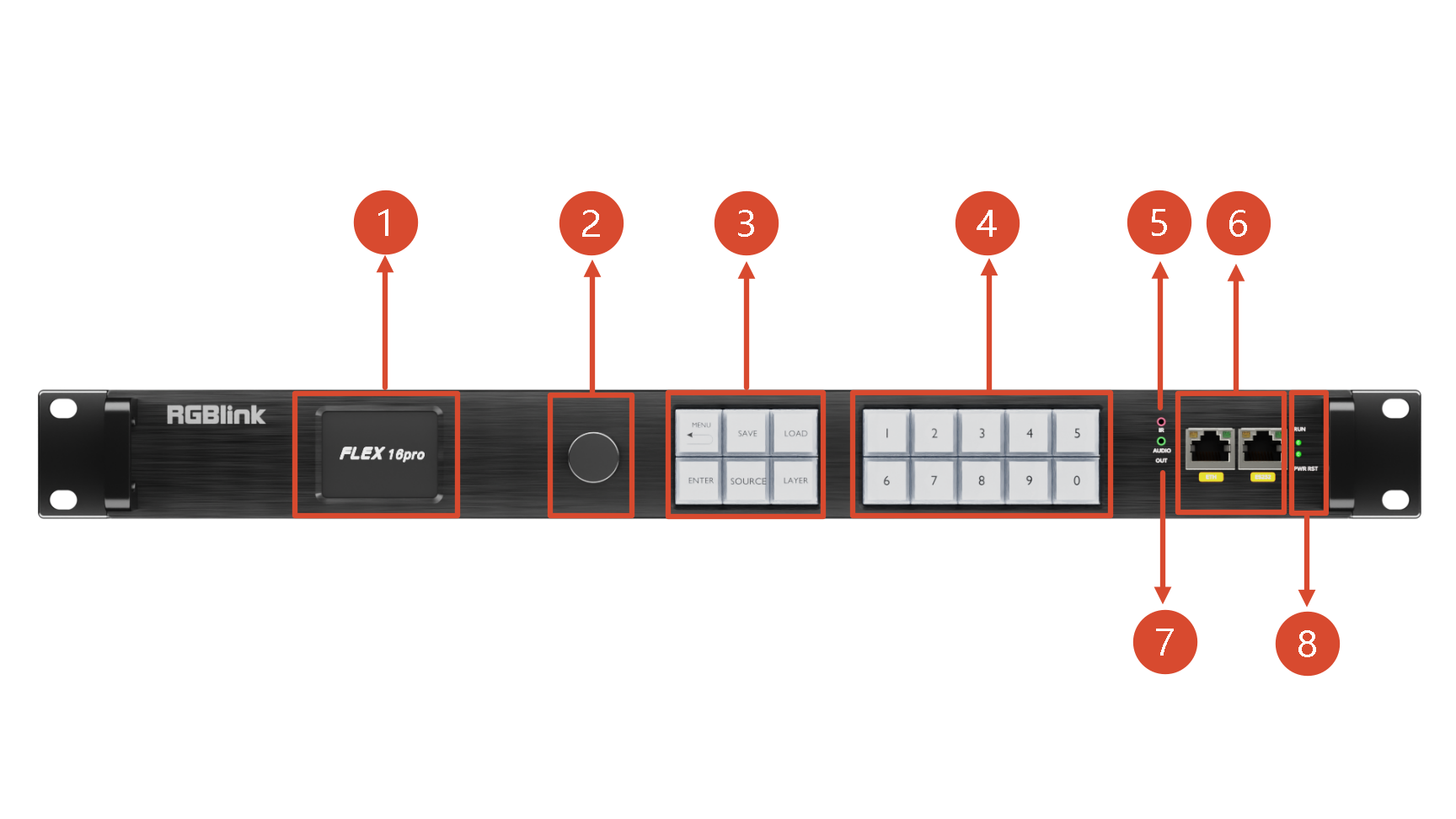
| No. | Name | Description |
|---|---|---|
| 1 | LCD Screen | Displays device menu and status |
| 2 | Knob | Selects menu functions and confirms |
| 3 | Function Buttons | MENU: Open the menu/Return to the previous menu level ENTER: Confirm SAVE: Open the Preset Save menu LOAD: Open the Preset Load menu SOURCE: / LAYER: / |
| 4 | Numeric Buttons | Used for numbers input |
| 5 | IR | Infrared receiver interface |
| 6 | Communication Interfaces | LAN: 10M/100M adaptive network port for network communication RS232: Serial communication |
| 7 | Audio Output | Independent audio output port, de-embeds audio from one of the input channels |
| 8 | Indicators | RUN: Working indicator, green solid = operating normally PWR RST: Power/Reset indicator, red solid = powered on; red flashing = device resetting |