Online Manual
Q16pro-Gen2-4U

1.2 Front Panel
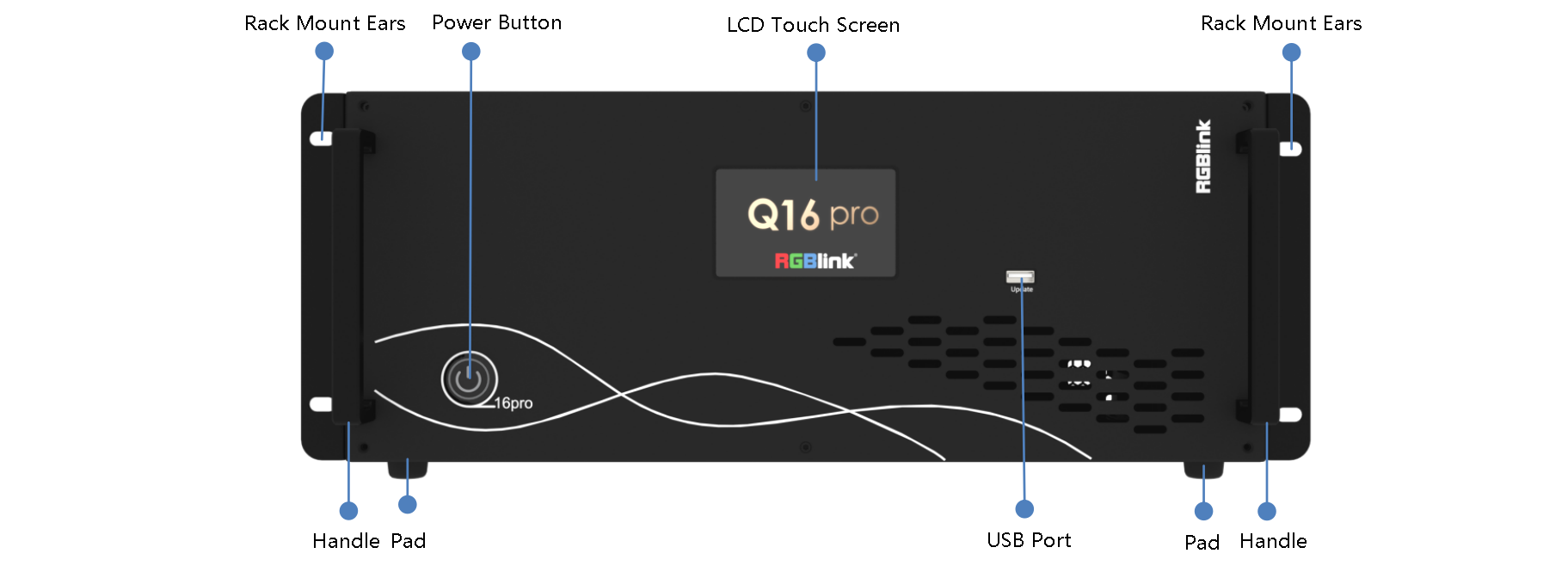
| Name | Description |
|---|---|
| LCD Touch Screen | + Display current status of the device. + For menu operation. |
| Power Button | + Press the button to power on or power off the device. + Button light turns red when powered on. |
| USB Port | Used for device upgrade. |
| Handles | For carrying device. |
| Rack Mount Ears | Use with the load-bearing screws to fix device on the rack. |
| Pad | Support device and enhance shock absorption capability. |