Online Manual
MSP 325N User Manual

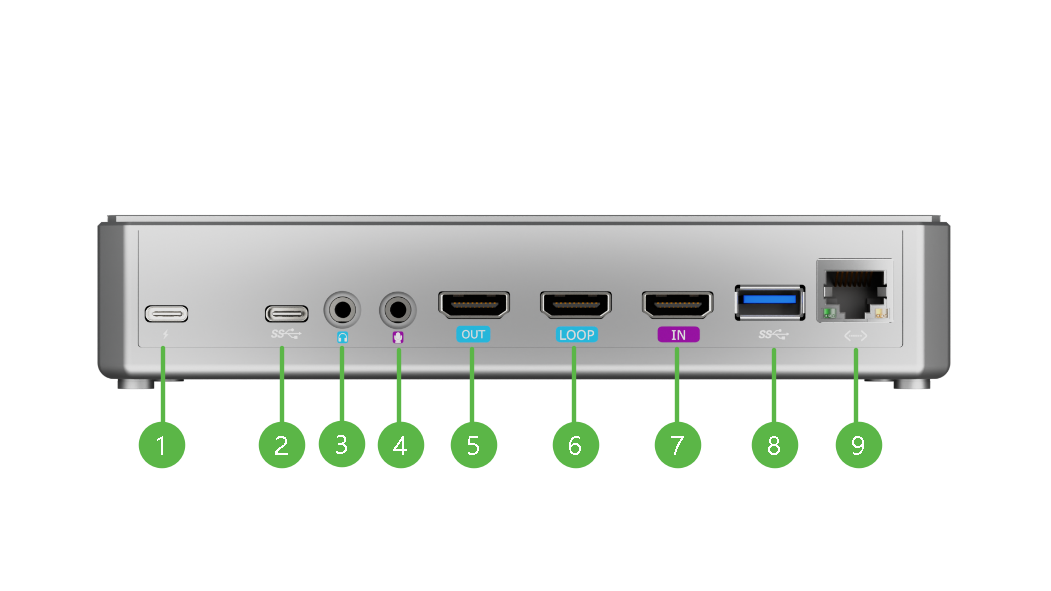
1.3 Ports Info
| Diagram and description of the device | |||
|---|---|---|---|
 | |||
 |  | ||
| NO. | Interface | Desc. | Function |
| ❶ | Power | Support PD protocol | 12V/3A (minimum) |
| ❷ | USB-C | Type-C | Standard interface supporting UVC audio and video. |
| ❸ | Line-out | 3.5mm | Monitor final PGM audio via headphones or speakers. |
| ❹ | Line-in | 3.5mm | Connect powered microphones and similar devices. |
| ❺ | HDMI OUT | / | Switch between HDMI/UVC inputs; connect monitors for PGM preview. |
| ❻ | HDMI LOOP | / | Pass original HDMI signals to secondary monitors or capture cards. |
| ❼ | HDMI IN | / | Connect HD cameras, computers, etc. |
| ❽ | USB-A | Type-A | Connect USB flash drives, external hard drives, and other storage devices for data storage and transfer. |
| ❾ | LAN | / | Connects to a network for live streaming and online updates. Support for Power over Ethernet (PoE). |
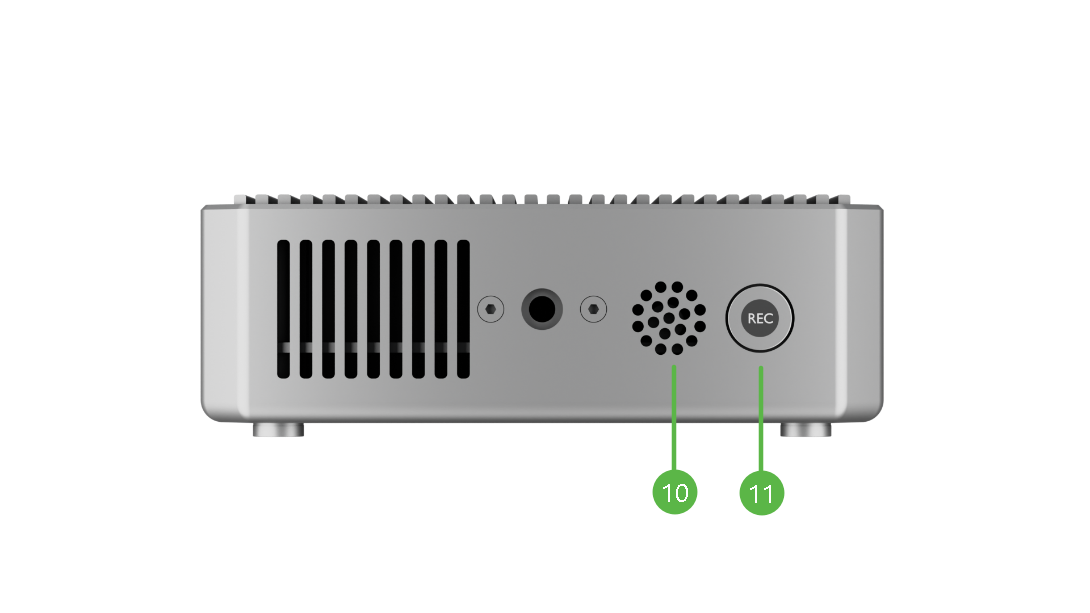
| ❿ | MIC | Built-in Microphone | Sensitivity: -36 dBV/Pa Pickup range: 5m |
| ⓫ | REC | Disabled | |
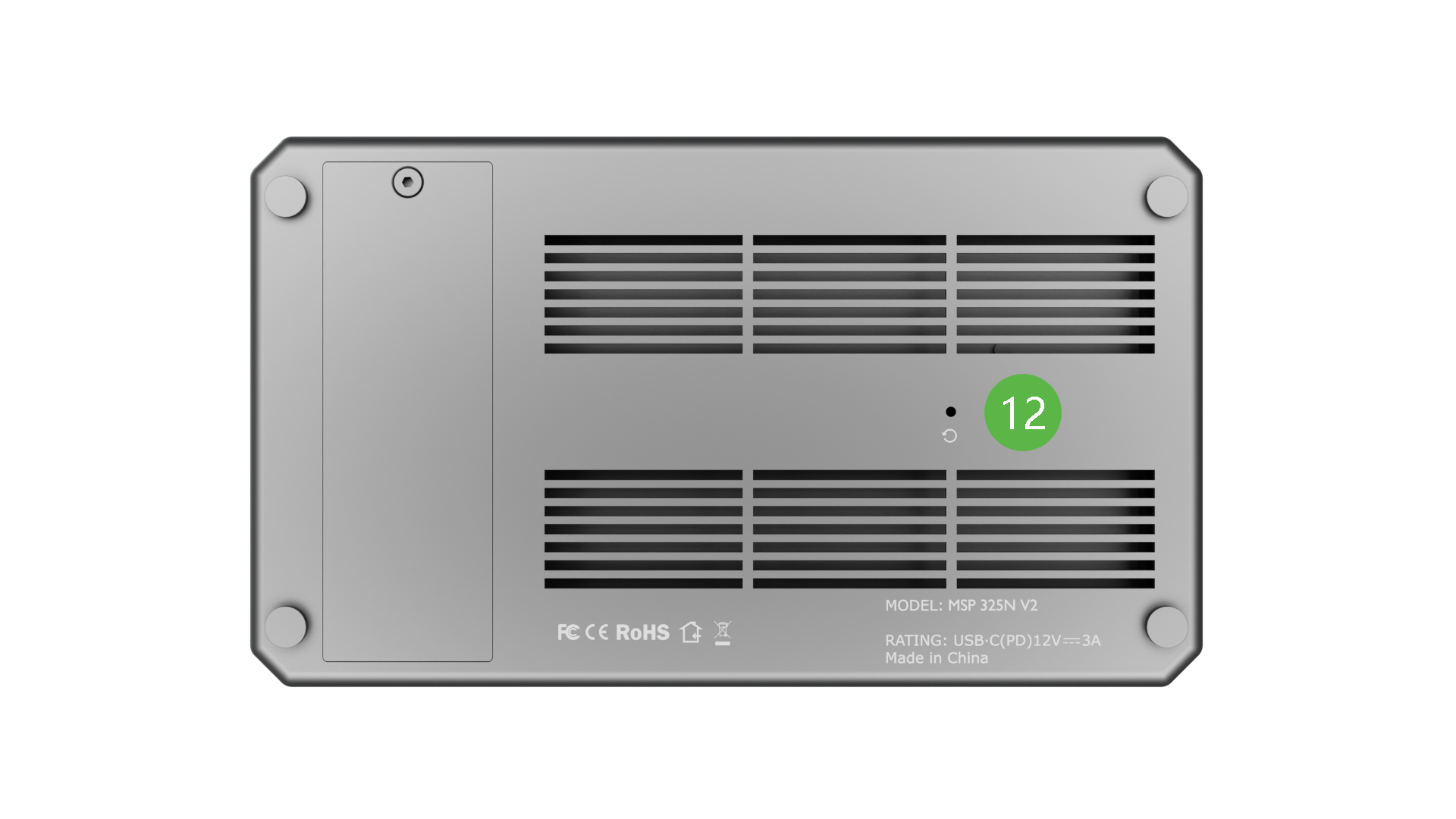
| ⓬ | RESET | / | / |