Online Manual
MSP 325N User Manual

3.5.2 Playback Address
- The Main Stream and Sub Stream code identifiers can be modified; however, the supported playback formats of the Main Stream and Sub Stream addresses are fixed and cannot be changed.
The Main Stream supports playback in multiple formats including HTTP, RTMP, RTSP, and SRT. You can select the appropriate Main Stream URL format based on compatibility with your player, platform, or network requirements — all formats provide access to the same Main Stream video output.
The Sub Stream, however, only supports RTSP format.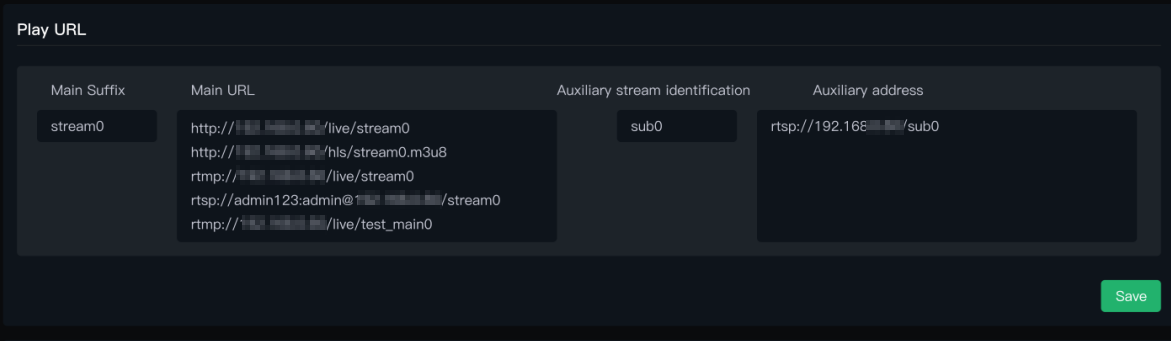
- For the different protocols in the Main and Sub Stream address formats, a simple summary is as follows:
| Protocol | Features | Scenarios |
|---|---|---|
| RTMP | Very low delay (usually 1-3 seconds), very stable. | Streaming to live platforms (Douyu, Twitch, etc.), professional live production. |
| RTSP | Designed for streaming control (e.g., play, pause). Needs specialized players (like VLC). | Surveillance cameras, video conferencing systems, embedded devices. |
| HTTP | HTTP-based. Can cut the stream into small files for download and playback. | Web live streaming (Bilibili, YouTube). |
| SRT | Targets unstable network environments, low latency. | Remote production, high-quality low-latency transmission across public networks. |
- VLC software supports playing all the Main Stream address formats above. You can consider downloading VLC Media Player (https://soft.ljdwl.cn/vlc/bFqbx37.html).
- Open VLC Player, click Media on the top menu bar. In the dropdown menu, select Open Network Stream....
- An input box will pop up. Copy and paste the complete address you see into it, then click Play .