Online Manual
MSP 331 (Family) User Manual

3.1 OBS Streaming
[Download | OBS](https://obsproject.com/download)
- Connect the MSP 331 device to your computer using a USB cable.
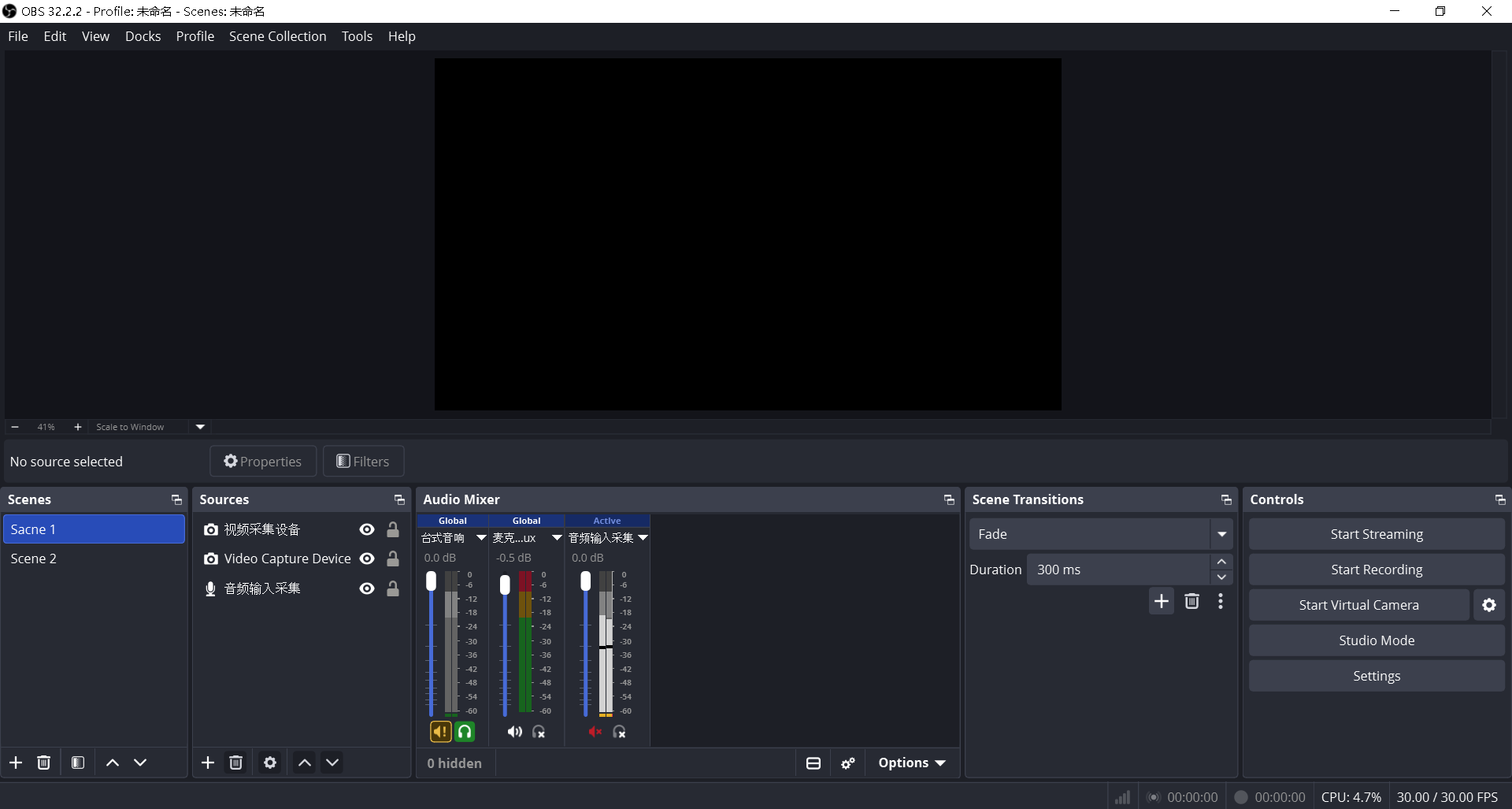
- Open OBS and create or select a scene.
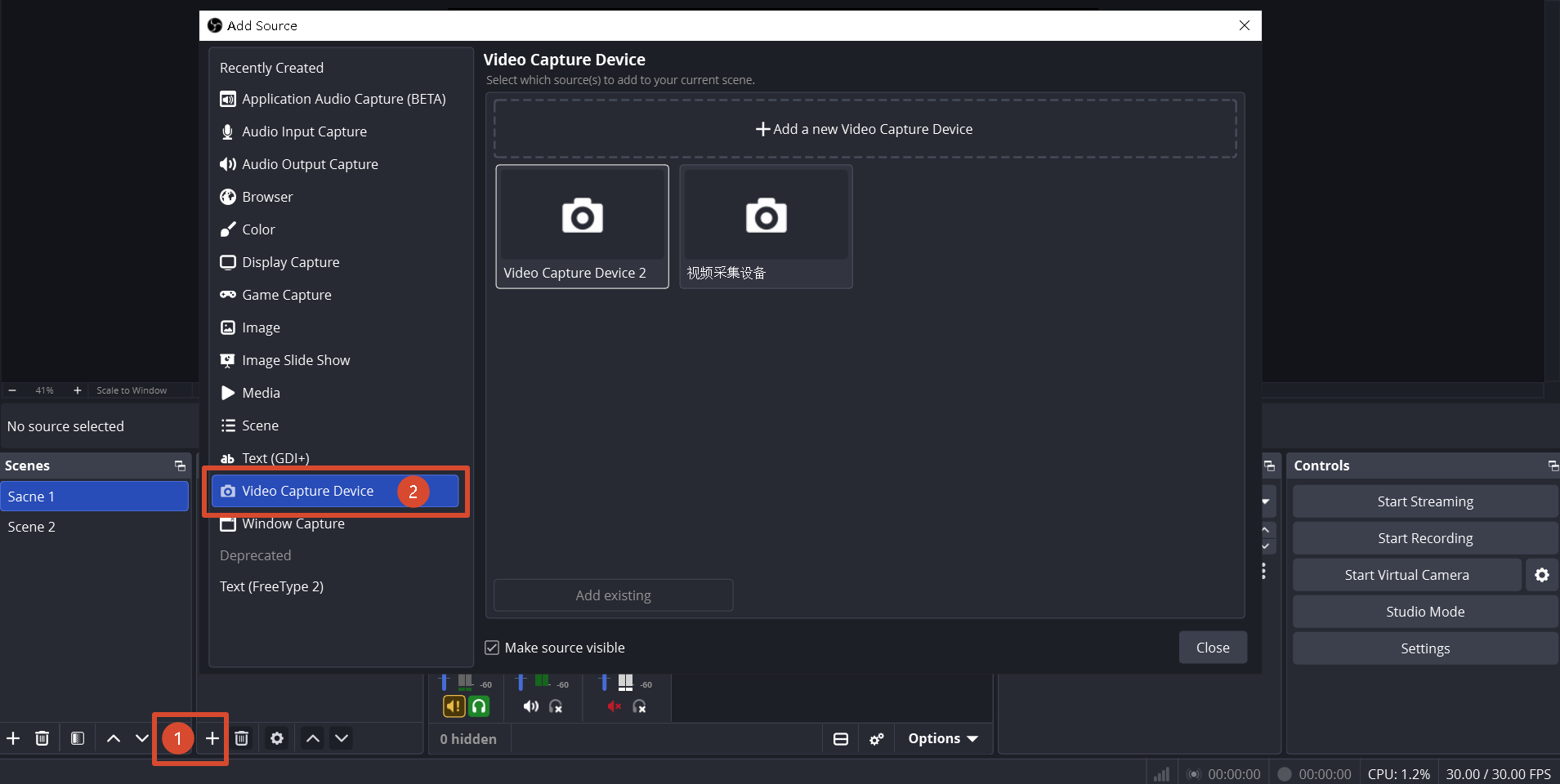
- In the Sources panel, click + and select Video Capture Device.
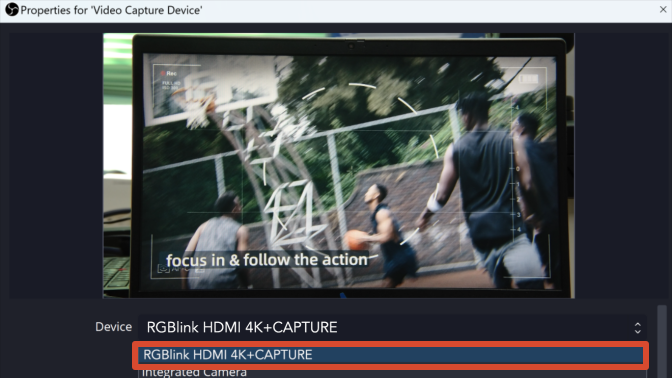
- Select the corresponding device from the device drop-down menu, such as
RGBlink HDMI 4K+CAPTURE
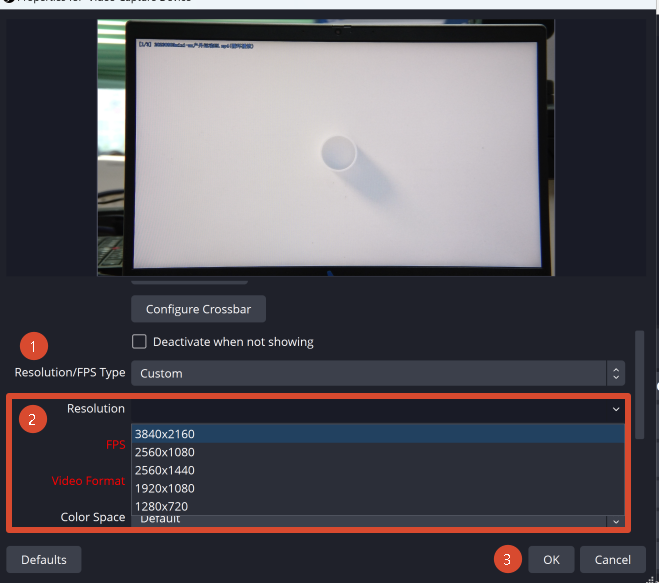
- In the device properties, select Custom under Resolution/FPS Type. You can then set the resolution (up to 3840 × 2160), frame rate, and video format. Click OK to apply the settings.
- Drag the capture source to the desired position in the scene. Adjust its size and layer order to complete the scene setup.