Online Manual
mini-max User Manual

3.13 Customized Buttons
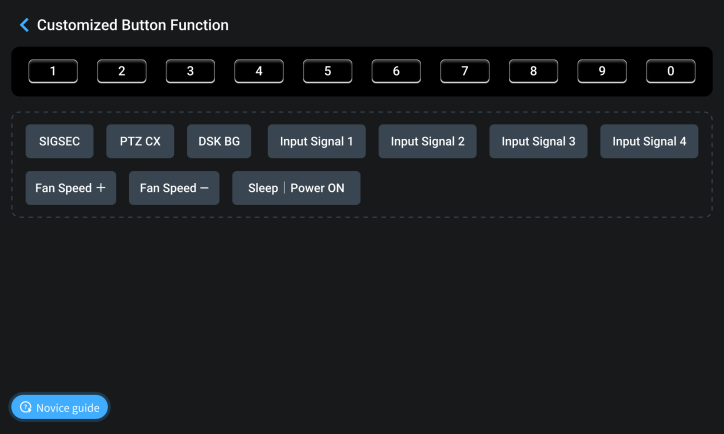
Customized Button Function
The 0–9 buttons in the SHORTCUTS section on the front panel support custom function assignment.
Open the mini-max Web App interface and navigate to Custom Button Function.
Users can drag and drop functions onto any numeric button to create shortcuts. A single function can be assigned to multiple buttons.
Click Novice Guide in the lower-left corner of the page for a quick overview of the configuration process.
Button Status Indicators
The button editor uses the following status indicators:
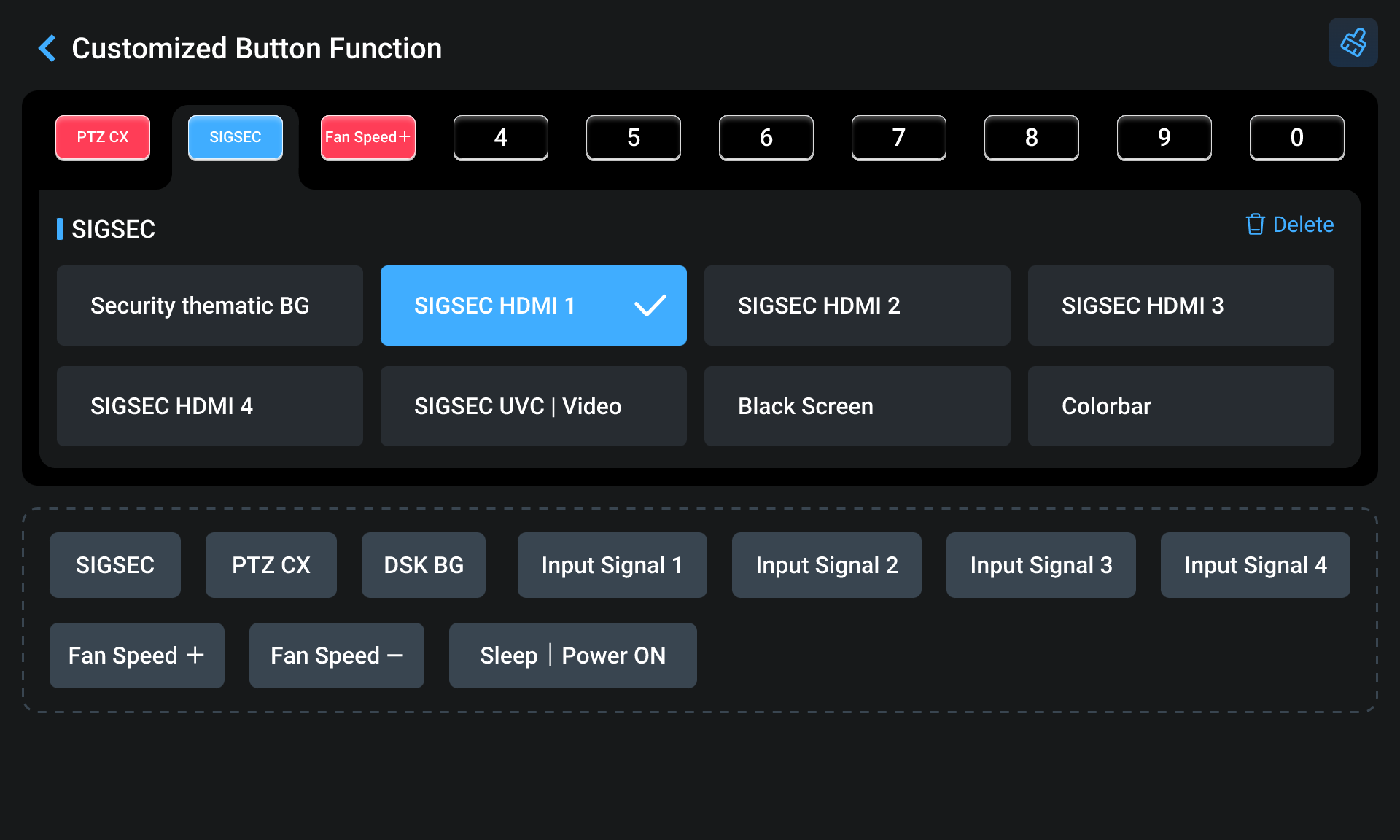
- Red: Function assigned
- Blue: Currently selected for editing
- Number Button: No function assigned
 : Remove all button assignments
 : Remove the selected button assignment
Available Functions
The following functions can be assigned to custom buttons:
- SIGSEC (Signal Security)
- PTZ CX (signal channel)
- DSK BG
- Fan Speed +
- Fan Speed -
SIGSEC
The SIGSEC function allows the system to switch instantly to a predefined output source when required.
Available options include:
- Security Thematic BG: One-click to realize switching to the specific backup signal in case of emergencies.
- SIGSEC IN 1-5: PGM output SIGSEC IN 1-5 in full screen in any state.
- Black Screen: One-click to go to black screen for Program.
- Colorbar: Static colorbar picture.
Selecting a SIGSEC immediately switches the Program output to the configured source.
PTZ CX
PTZ CX provides quick access to a camera control interface.
After selecting an HDMI or UVC source, the corresponding PTZ control page opens automatically and PTZ control is enabled.
Users can operate the camera using the 5-Direction Joystick and focus controls on the front panel.
DSK BG
The DSK BG function allows rapid switching of background sources.
Available options include:
- BG: Select an image stored on the device as the DSK background. Repeatedly pressing the assigned button cycles through the available background images. After the last image is reached, the sequence returns to the first image.
- Preset Input: Select a input signal as the DSK background source.
Fan Speed
Fan Speed Control allows quick adjustment of the cooling fan speed.