Online Manual
tinyZ

3.4.2 3.2 Gesture Control
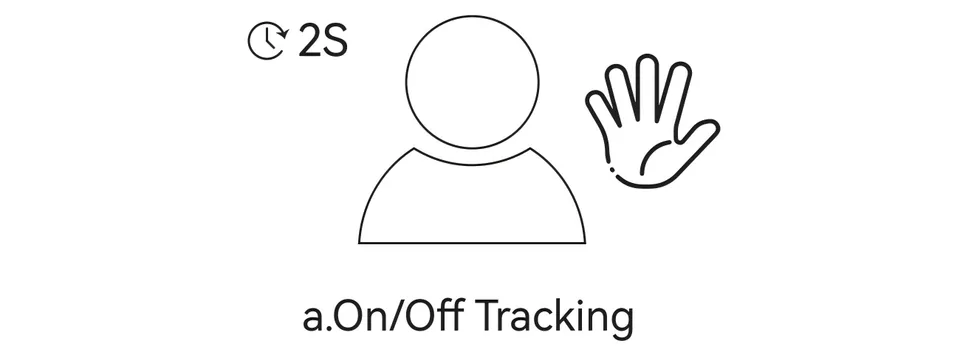
Hold each supported gesture for 2 seconds to allow the camera to recognize it.
Enable or Exit Tracking Mode
- Perform the gesture shown in the illustration below to enable Tracking Mode.
- The indicator flashes twice and then turns solid blue, indicating that Tracking Mode is enabled.
- To exit Tracking Mode, perform the same gesture again. The indicator returns to solid green.
Tips for gesture recognition
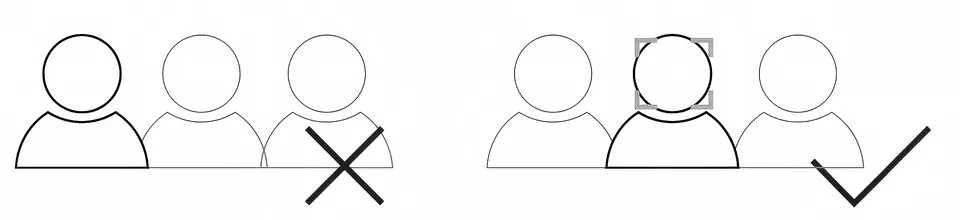
- Keep the subject centered in the frame while performing gestures.
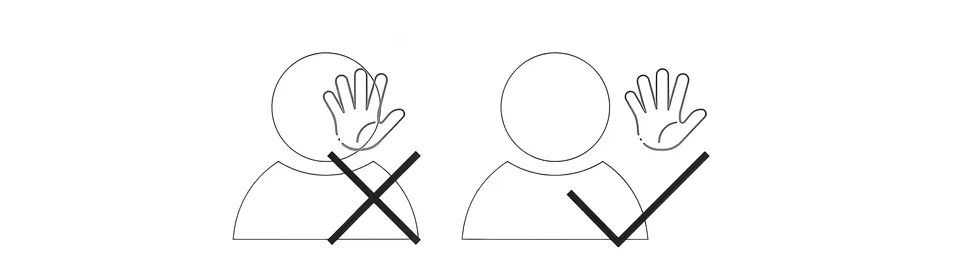
- Keep your face unobstructed during gesture recognition.
- Keep the camera upright. Do not tilt the device.