Online Manual
streamZ User Guide

2.1.1 Ports and Controls
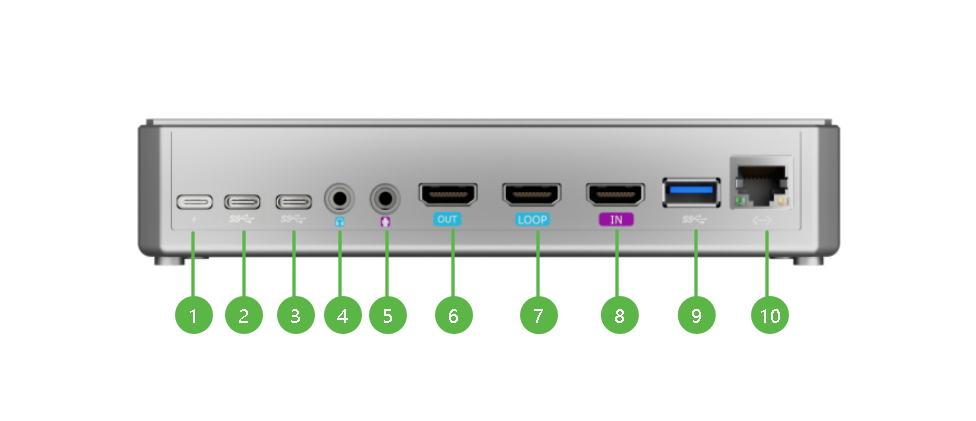
Diagram and description of the streamZ device.
| Front View |
|---|
 |
| Right View | Bottom View |
|---|---|
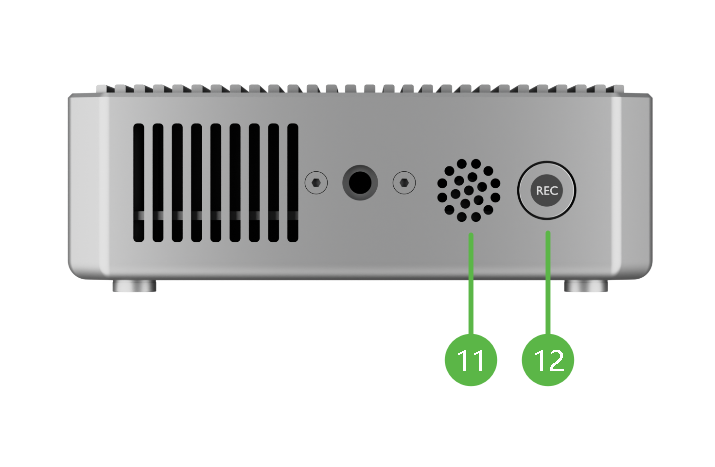 | 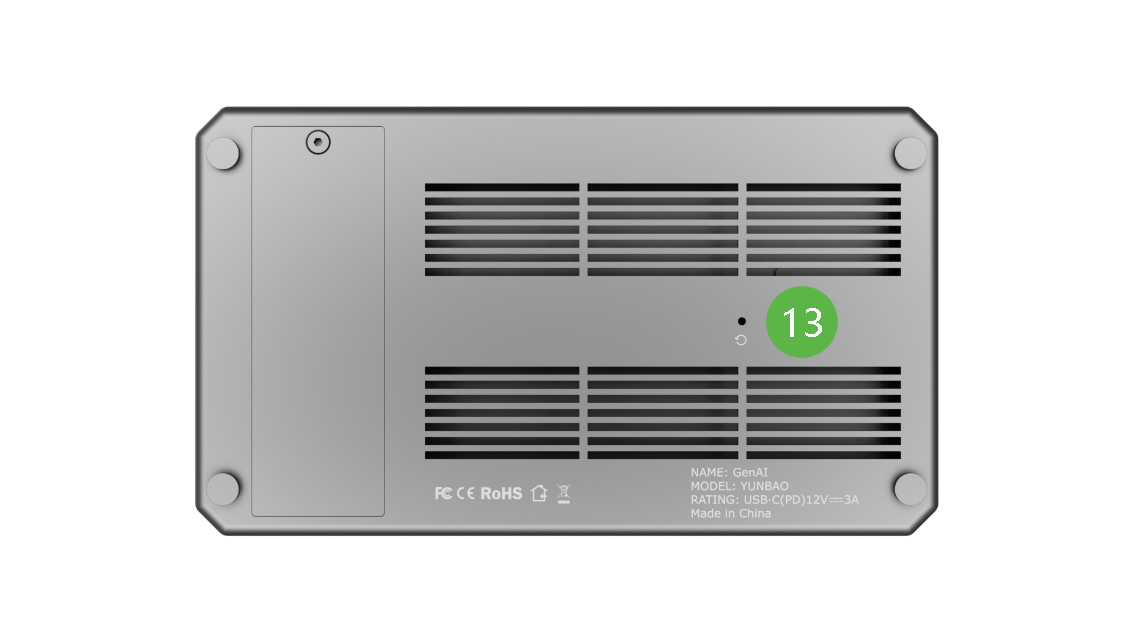 |
| NO. | Interface | Desc. | Function |
|---|---|---|---|
| ❶ | Power | Support PD protocol | 12V/3A (minimum) |
| ❷ | USB-C Output | Type-C port | Type-C port for connecting UAC devices. |
| ❸ | USB-C Input | Type-C port | UVC audio/video input interface. |
| ❹ | Audio Output | 3.5mm | Monitor final PGM audio via headphones or speakers. |
| ❺ | Audio Input | 3.5mm line-in | |
| ❻ | HDMI OUT | / | Switch between HDMI/UVC inputs; connect monitors for PGM preview. |
| ❼ | HDMI LOOP | / | Pass original HDMI signals to secondary monitors or capture cards. |
| ❽ | HDMI IN | / | Connect HD cameras, computers, etc. |
| ❾ | USB-A | Type-A Port | Recognized as UVC Input 1/2 in preview; connect USB webcams. |
| ❿ | LAN | Ethernet Port | For network connection and remote control. |
| ⓫ | MIC | Built-in Microphone | Sensitivity: -36 dBV/Pa Pickup range: 5m |
| ⓬ | REC | Hardware Button | Press to start recording; indicator lights up when active. |
| ⓭ | RESET | / | Hold for 10s with a pin to restore default credentials (admin/12345678). Files remain intact. |
📢 Tip

When connecting a computer as a sub-source via HDMI, set its display orientation to Landscape. Portrait orientation may introduce fixed black bars in the output video.