Online Manual
stream-gO

3.4.3.2.1 Advanced Scene Setup
After completing the initial scene setup , this section introduces advanced layout and editing features for scene customization.
Scenes maintain visual consistency and allow quick transitions between segments (for example: Intro → Product Demo → Guest Talk → Break).
The following sections describe asset preparation and scene editing.
Asset Management
📢 Important

Multimedia assets must be uploaded to your My Drive folder before creating scenes.

The editor does not automatic saving. Keep the page open while editing; unsaved changes may be lost.

For additional creative assets and AI-generated content, see section 3.5.3 Shortcuts .
| Category | Notes | |
|---|---|---|
| ① Video | HDMI IN | See section Streaming via Other Devices for more. |
| UVC IN 1/2 | FOV mode supported. | |
| Phone | See section Streaming via Smartphone for more. | |
| ② Audio | Line in | Set video-embedded volume to 0 if using external audio to prevent echoes. |
| Mic | ||
| UAC | ||
| ③ Media | ||
| Visual | Template | Use Templates for one-click layout loading. |
| Image | jpeg/png/gif | |
| Text | / | |
| Dynamic | Video | / |
| Playlist | Set Looping and order via drag-and-drop. | |
| BGM | Music | / |
| playlist | Set Looping and order via drag-and-drop. |
Editing
After adding assets to the scene, use Properties and adjust Layers for precision.
① Basic Layout
| Property | Funcion | |
|---|---|---|
| Position | 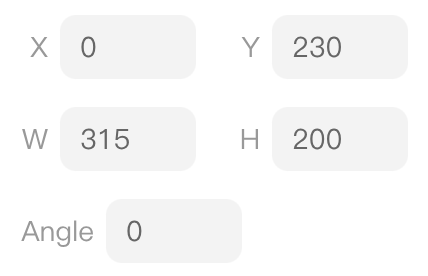 | Set coordinates for object placement. |
| Size | 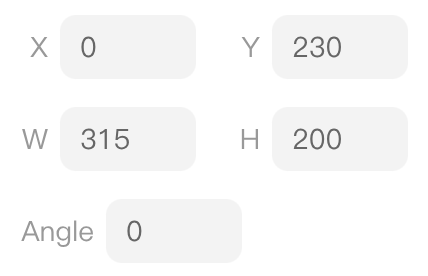 | Adjust width and height. |
| Rotation | 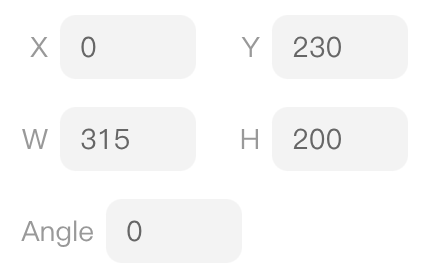 | Adjust rotation angle. |
| Image |  | Set aspect ratio and fitting mode. |
| Mirror |  | Flip horizontally or vertically. |
| Layer |  | Arrange object stacking order |
② Advanced Tips
| Property | Function | |
|---|---|---|
| Chroma Key | 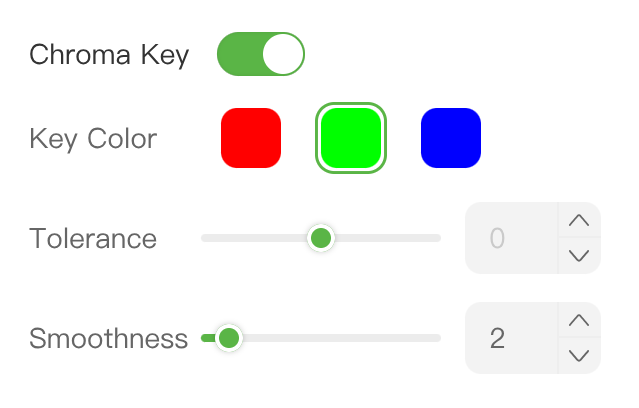 | Remove background color from images or videos. Enable Chroma Key, select the background color, then adjust Similarity and Smoothness. |
| Opacity |  | Adjust transparency. For watermark text, an opacity of about 30% is recommended. |
| ... | ... | ... |