Online Manual
TAO-1tiny-2

2.1 Product Connection
Connect a USB Camera to TAO 1tiny 2
Please connect the TAO 1tiny 2 and the USB camera(e.g., DJl PK3, Action 5 and insta360 X5, etc.) as shown in the diagram below :
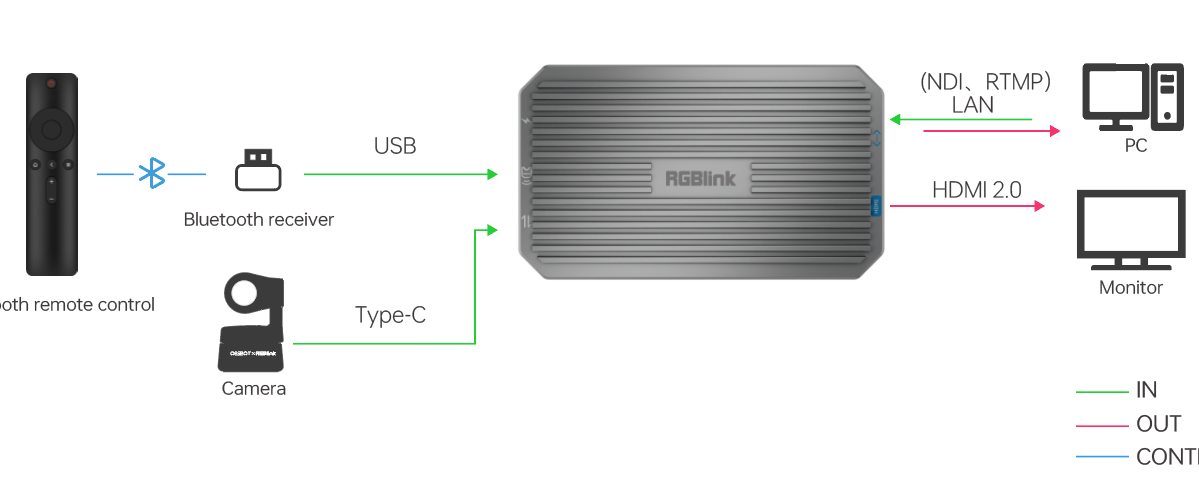
- Power the TAO 1tiny 2 using a USB-C power cable.
- Connect the USB camera to the USB-C input port using a USB-C cable (The TAO 1tiny 2 can supply power to the USB camera: 5V/1A).
- Connect the HDMI 2.0 output port to a display using an HDMI cable.
📢  Note

The time interval between powering off and then powering on the TAO 1tiny 2 must be greater than 30 seconds; otherwise, recognition issues may occur.
Using TAO 1tiny 2 with mini Switchers
Please connect the TAO 1tiny 2 and the BMD ATEM as shown in the diagram below:
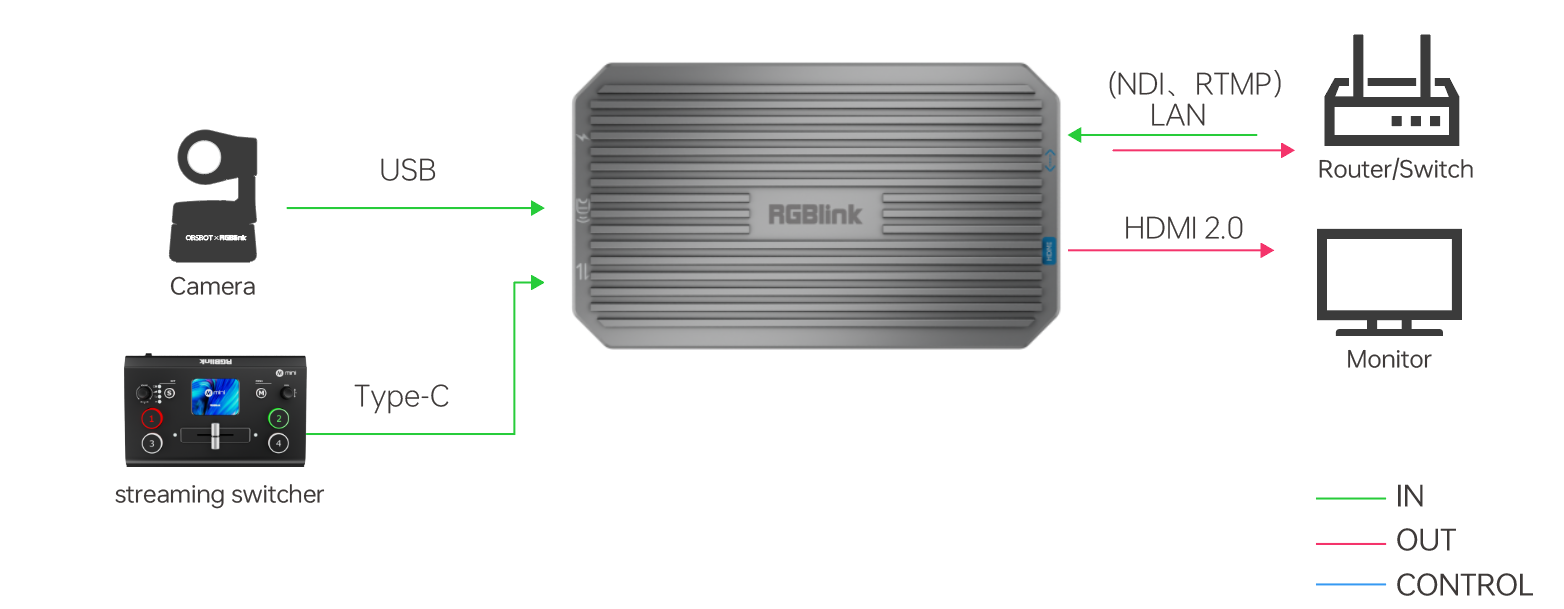
- Power the TAO 1tiny 2 using a USB-C power cable.
- Connect the mini-pro to the USB-C input port using a USB 3.0 to USB-C cable.
- Connect the HDMI 2.0 output port to a display using an HDMI 2.0 cable.