Online Manual
TAO-1tiny-2

2.3.4 NDI Encoding
The TAO 1tiny 2 adds NDI encoding feature, converting the signal from a USB camera into an NDI signal via the Ethernet port.
📢  Important

NDI encoding and decoding cannot be performed simultaneously.

By default, the NDI encoding and decoding features are disabled.
Proceed as follows:
- Connect the USB camera to the TAO 1tiny 2 and ensure the computer and TAO 1tiny 2 are on the same LAN. Refer to section 2.3.2 Network Configuration.
- Configure the NDI encoding settings. Set the NDI resolution, format, compression format, bitrate, etc., and click Save.
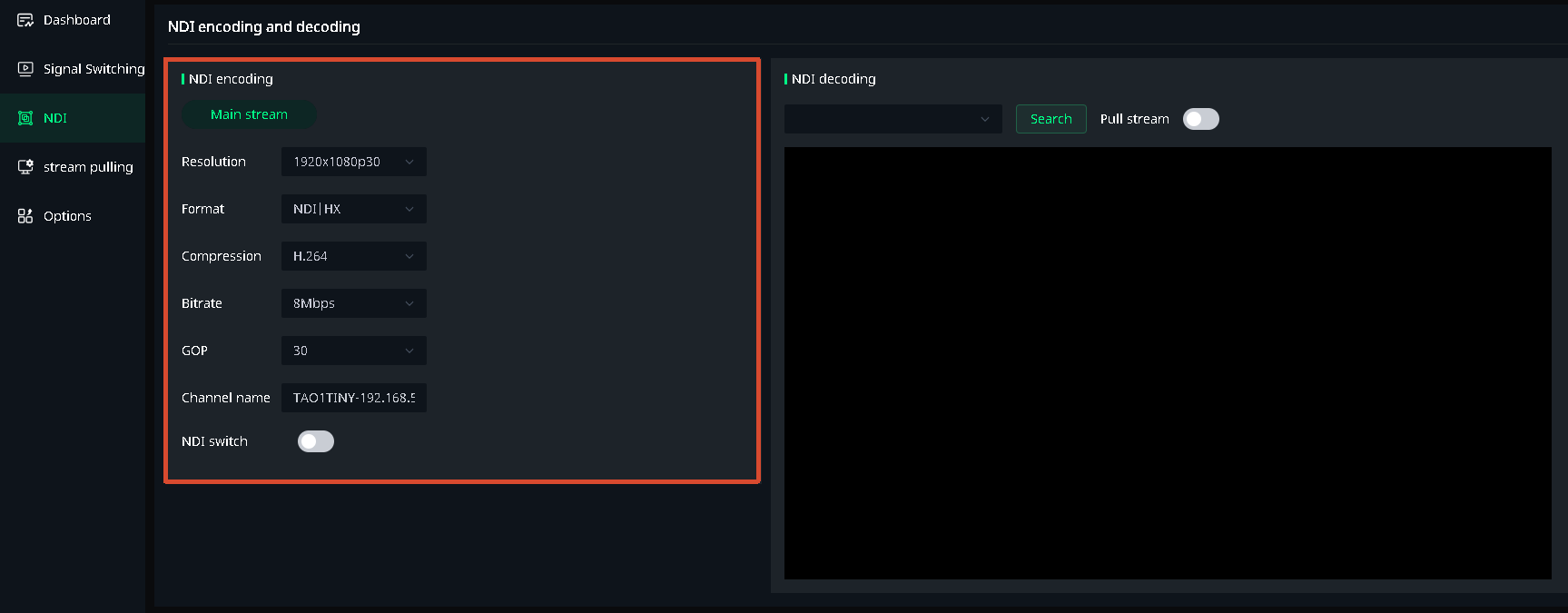
a. Resolution: Displays the input source resolution, fixed at 1920x1080p@30Hz.
b. Encoding Format: Default is NDI|HX.
c. Compression Format: Default is H.264.
d. Bitrate: Default is 8Mbps.
- Use NDI Tools to Receive the NDI Source
a. Download from: https://www.newtek.com/ndi/tools/
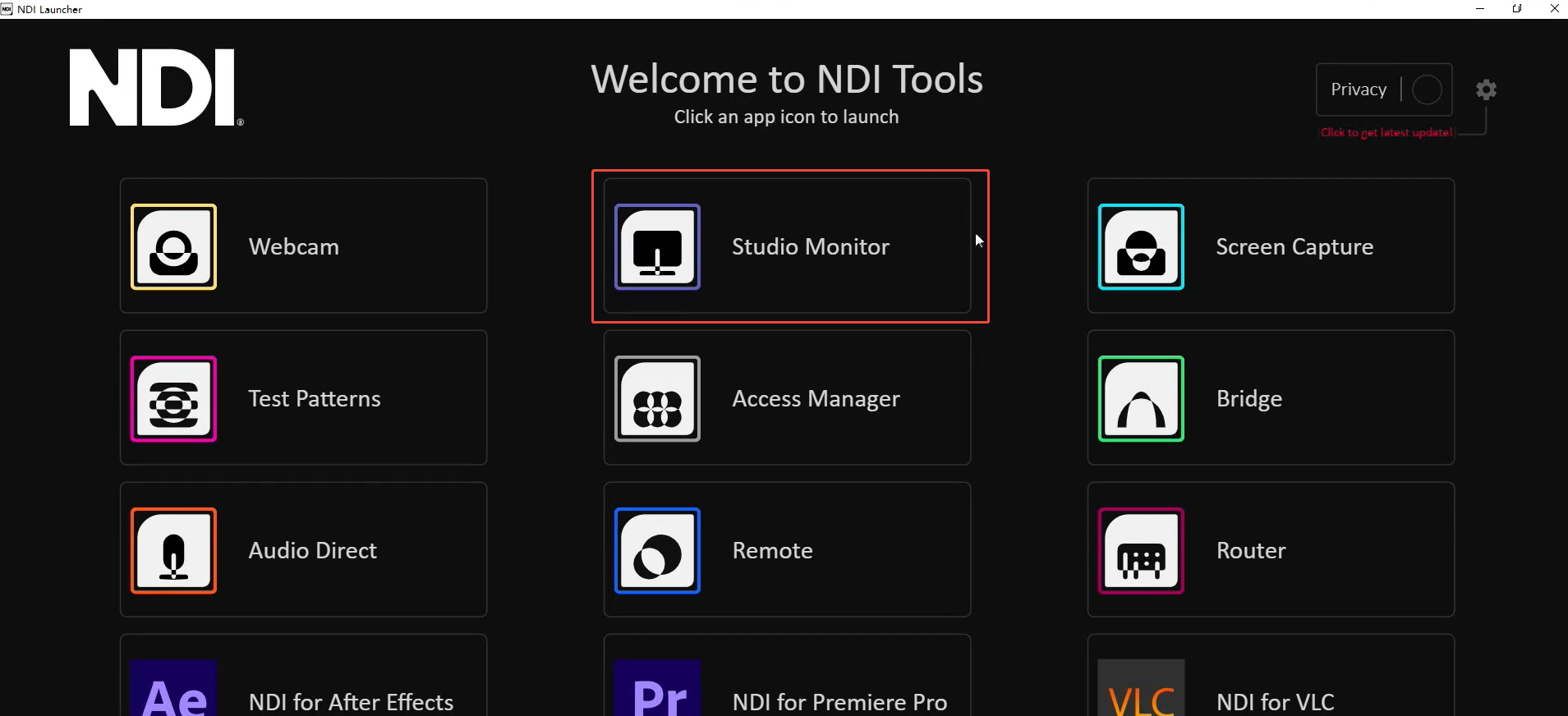
b. Open the NewTek Studio Monitor software.
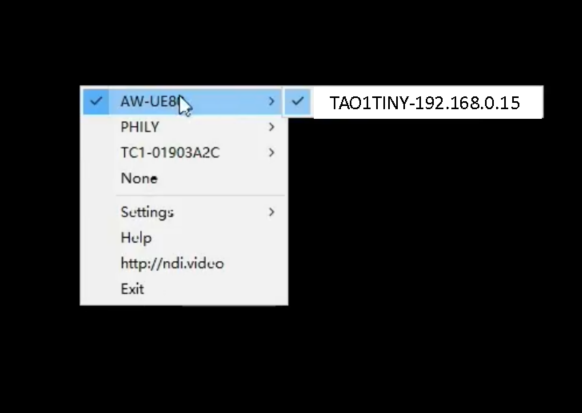
c. Click the icon in the top left corner to display the list of discovered NDI source names. Select the device you want to connect to (TAO 1tiny 2+IP), and it will begin pulling and playing the selected video stream. After successfully pulling the video stream, you can click on a blank area of the device display to view the NDI resolution.