Online Manual
msp-325n-v2

2.6 NDI Encoding
2.6.1 NDI Encoding Settings
The NDI encoding function converts the signal from a USB camera into an NDI stream via the network port.
Specific steps are as follows:
- Connect the USB camera to the MSP 325N V2.
- Configure the computer and MSP 325N V2 to be on the same LAN.
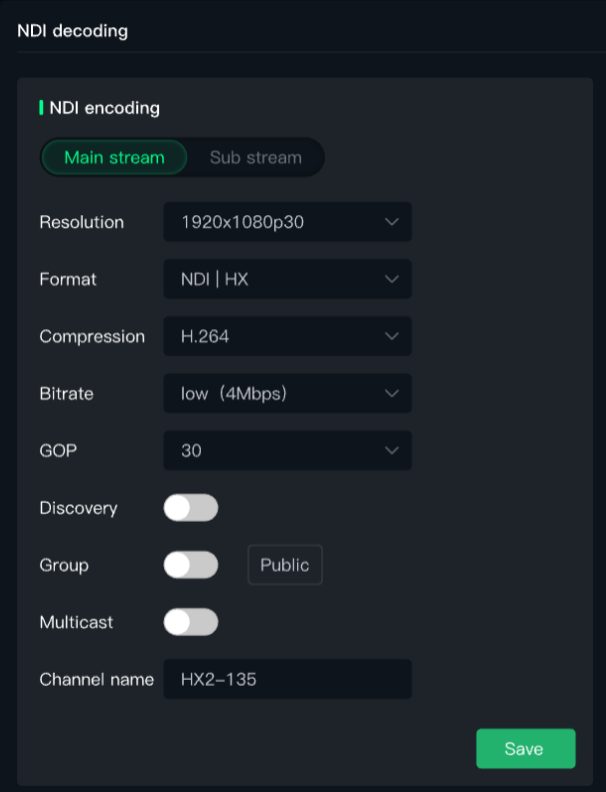
- Set the NDI encoding format. Set the NDI resolution, format, compression format, bitrate, etc., and click Save .
-
a. Resolution: Displays the resolution of the input signal source. Maximum resolution supported is 3840x2160p@60Hz.
-
b. Format: NDI encoding formats support Full NDI, NDI | HX3, NDI | HX2, NDI | HX.
-
c. Compression Format: Default is H.264.
-
d. Bitrate: Supports up to 8Mbps.
-
e. Channel Name: Not editable. If the channel name displays as HX-100, where HX is the format selected for NDI encoding, and 100 is the last field of the IP. Users can make overall modifications through the host software.
-
f. GOP: The interval between key frames. Larger settings save bandwidth but slow down scene switching and fault recovery. If the GOP length is 60 frames and the video frame rate is 30fps, it means there is a key frame every 2 seconds (60 frames / 30 frames/sec = 2 seconds).
-
g. Group: All NDI signals are in the public group by default if not grouped. You can enable Group for grouping.
-
h. Multicast: The encoder only sends one data stream to the network.
-
i. Discovery: Enabling this switch allows other devices on the network to automatically find your encoder without manually entering the IP address.
2.6.2 Using NDI Tools to Output NDI Source
- Download URL:https://www.newtek.com/ndi/tools/
- Open NewTek's Studio Monitor software.
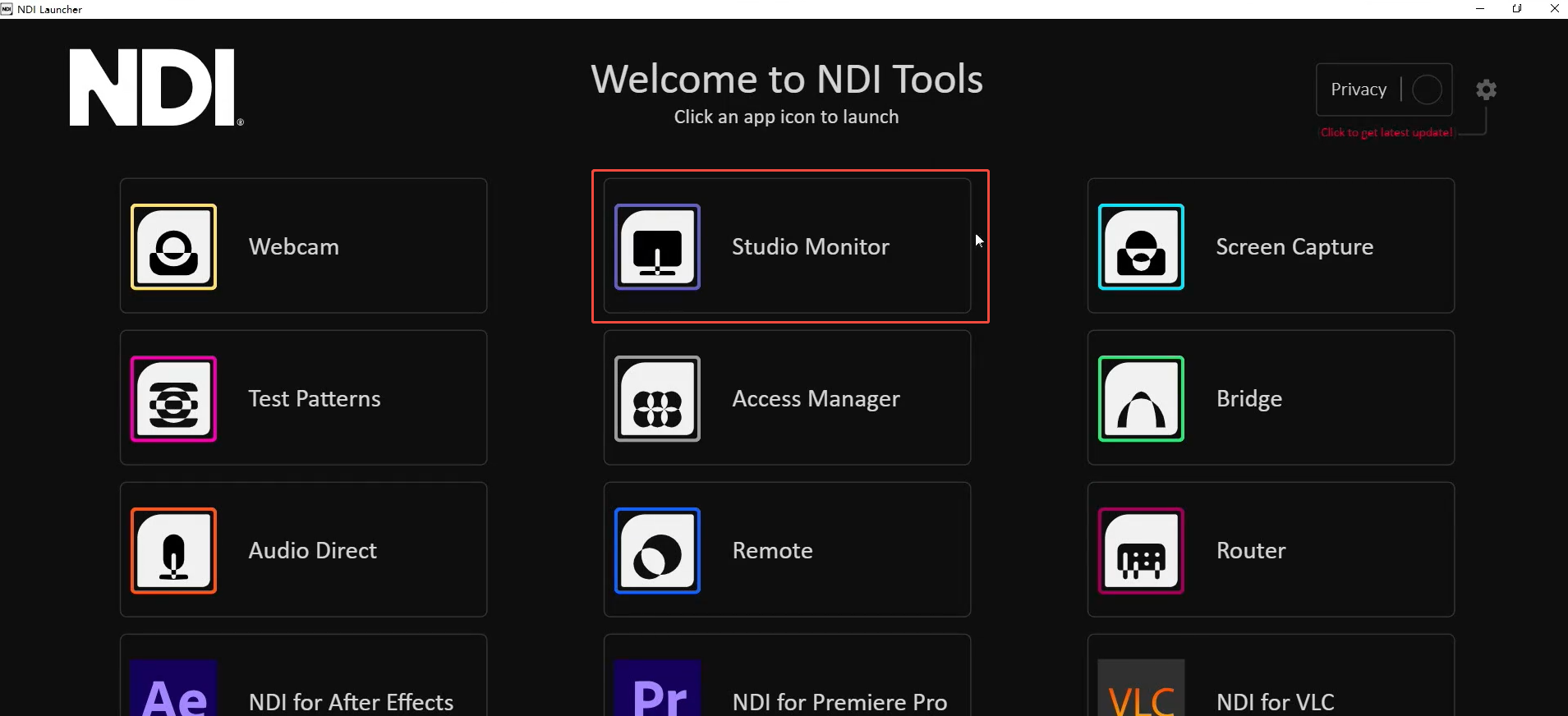
- Click the icon in the upper left corner to display the list of device names discovered by the Monitor software. Directly select the device you need to connect to, and it will pull and play the currently selected video stream. After successfully pulling the video stream, you can click on the blank area of the device to view the NDI resolution.