Online Manual
msp-325n-v2

2.9 Multi-Platform Live Streaming
Binding to TAO Cloud Platform
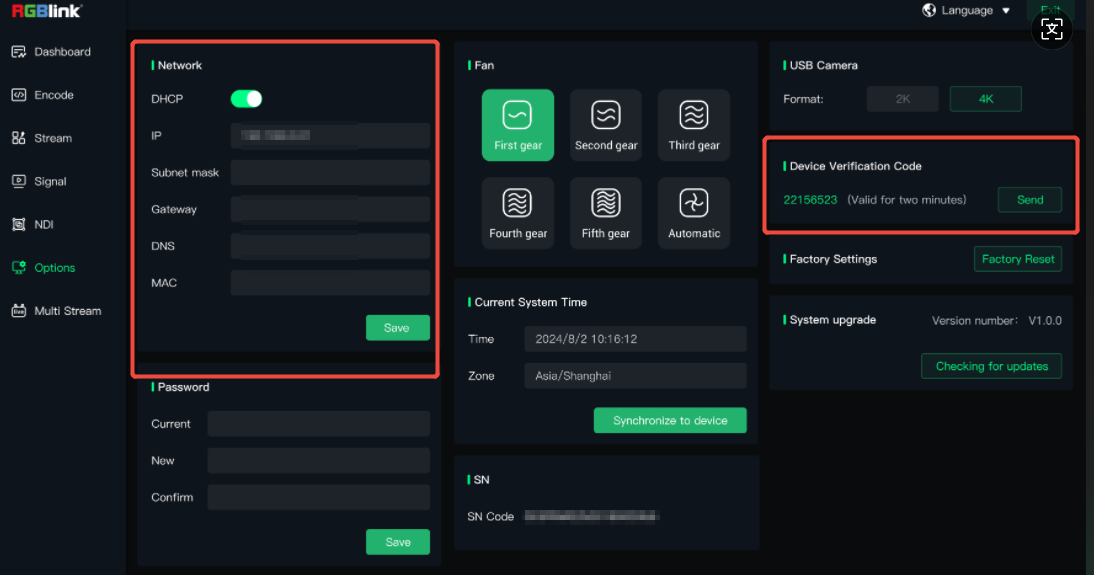
- Follow the steps in 3.1.2 Connect the MSP 325N V2 to the Networkto the Network to ensure the MSP 325N V2 is connected to the network. When connected, the IP from your router and the 8-digit device verification code for binding TAO Cloud are shown in the Options page.
- Register and log in to TAO Cloud (TAO Cloud address: https://www.tao1live.cn).
- Click My Collection > Device > Binding Devices . If binding fails, return to the MSP 325N V2 management page > Options, refresh the Device Verification Code , and try binding again.
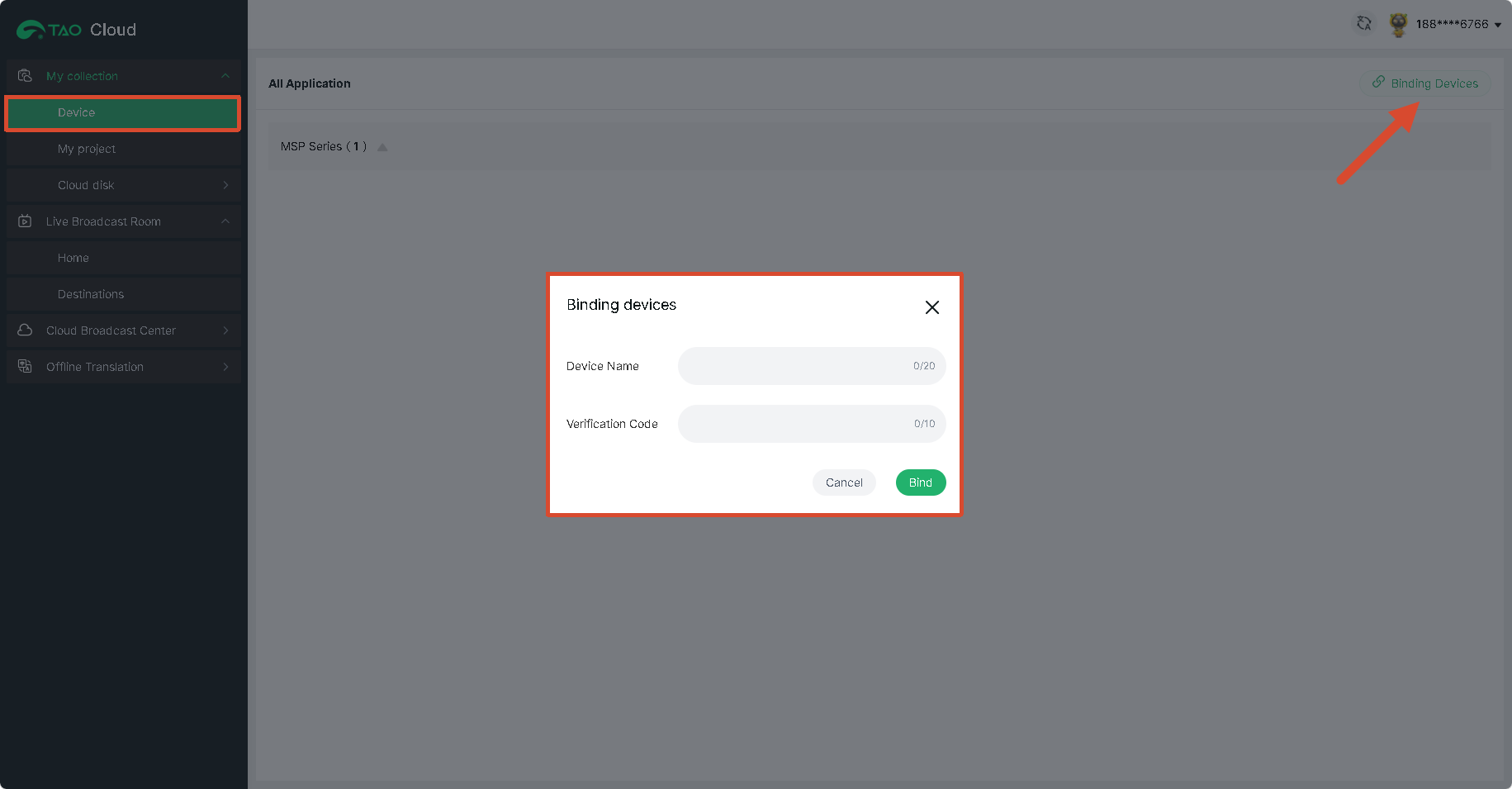
- After successful binding, the MSP 325N V2 will appear in the list of bound devices.
- If you want to bind another TAO Cloud account, retrieve the verification code again and use it to bind the other account.