Online Manual
msp-325n-v2

2.9.2 Monitoring Live Streams on TAO Cloud
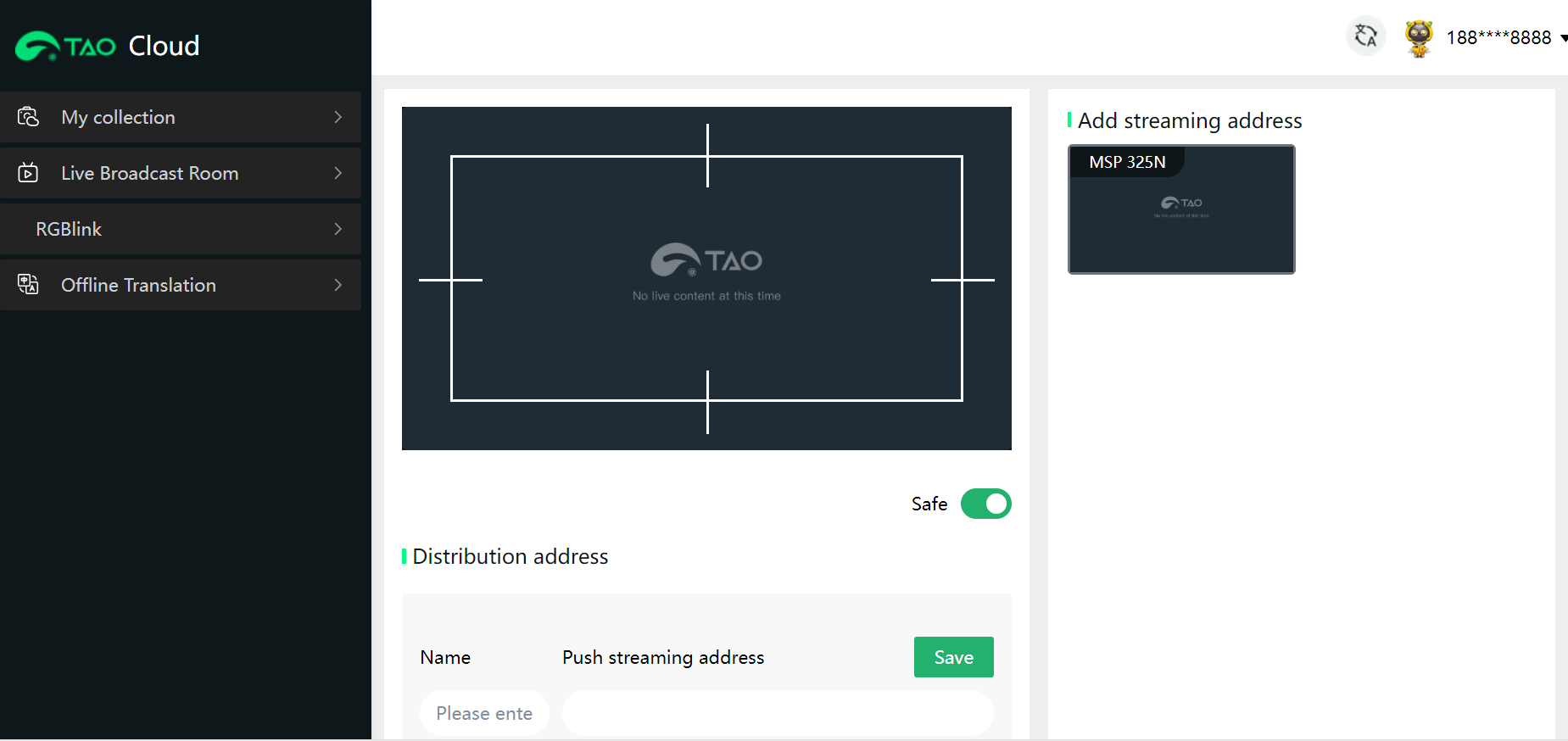
The first streaming address of the MSP 325N V2 is used for streaming to TAO Cloud to monitor the live stream画面 (picture). It is unmodifiable by default and can only be enabled after obtaining TAO Cloud membership.
- Become a TAO Cloud Member
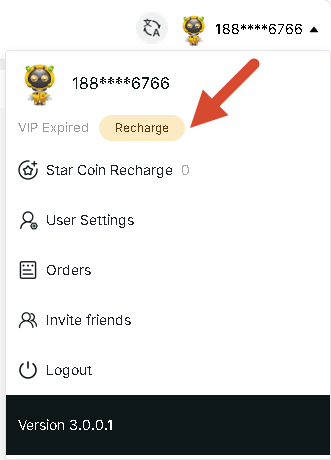
- Click Enable to the right of the TAO Cloud address. Then click Buy Now to jump to TAO Cloud. Click the avatar then select Recharge to purchase membership.
2. Select the subscription package you want to purchase, click on the payment method, jump to the payment platform to complete the payment, and you will become a TAO Cloud member.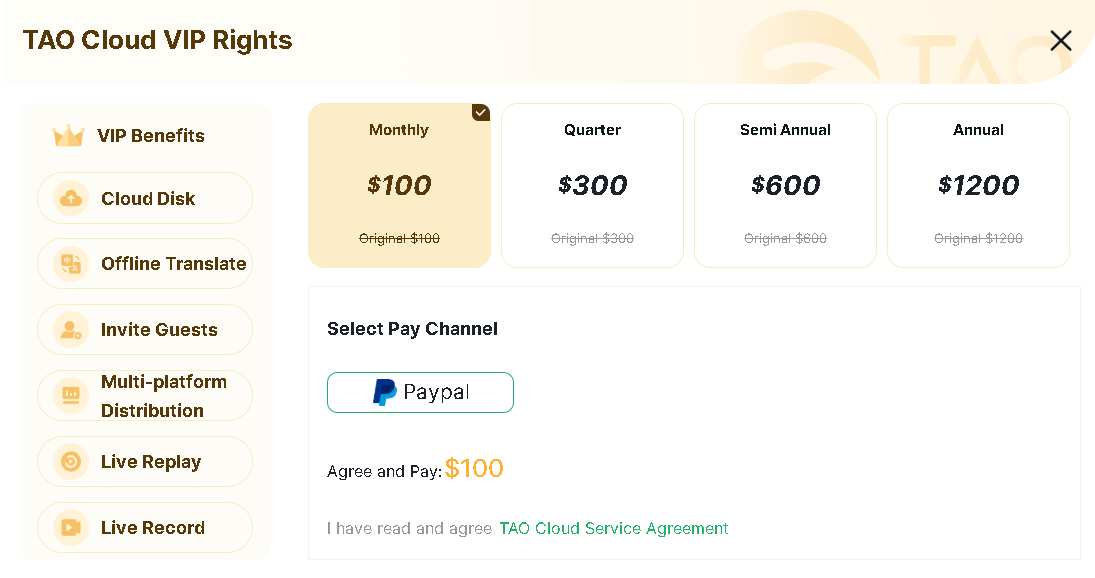
2. After becoming a TAO Cloud member, refresh the Multi-Platform Live Streaming page of the MSP 325N V2. Enter a description for the address as needed, click Save, and finally click Enable.
3. Ensure the MSP 325N V2 is already "bound to the TAO Cloud platform". In the navigation bar, select My Collection > Project, and create a project. This project can be used to pull streams and view all live rooms after bound TAO Cloud devices start streaming. When you create a project, the video anti-screen recording function is enabled by default. If you need screen recording, you can manually disable it.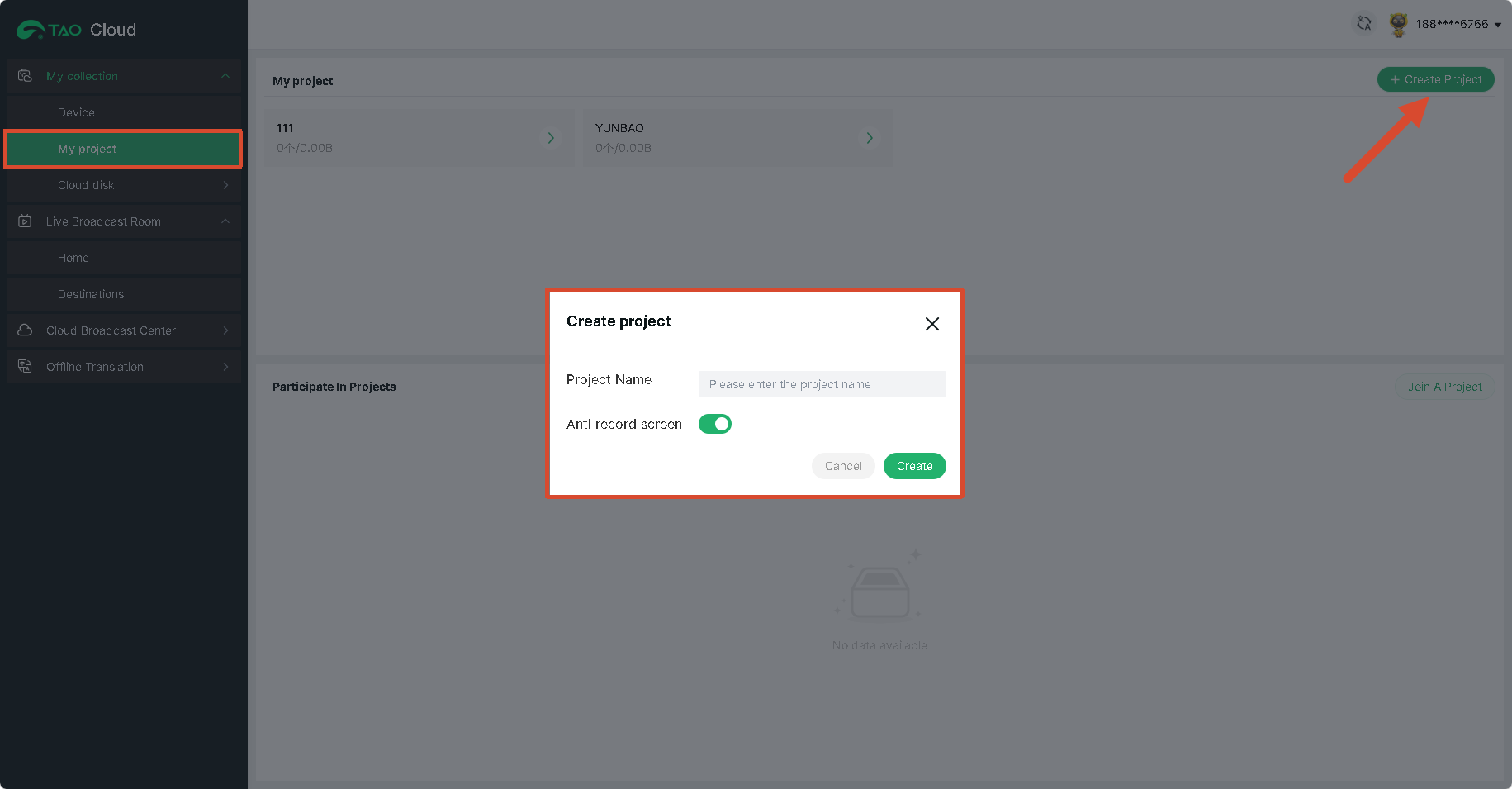 4. Enter the created project and click Add Bound Device to add the MSP 325N V2 to the project. At this point, if you directly click on the MSP 325N V2 in the device management bar, you will go directly to the device management page.
5. To view the picture streamed to TAO Cloud, click to enter the Cloud Live Room in the cloud director section below. Here you can view the live stream picture of the MSP 325N V2.