Online Manual
Ystreamer

2.3 Use Your Product
Device Application
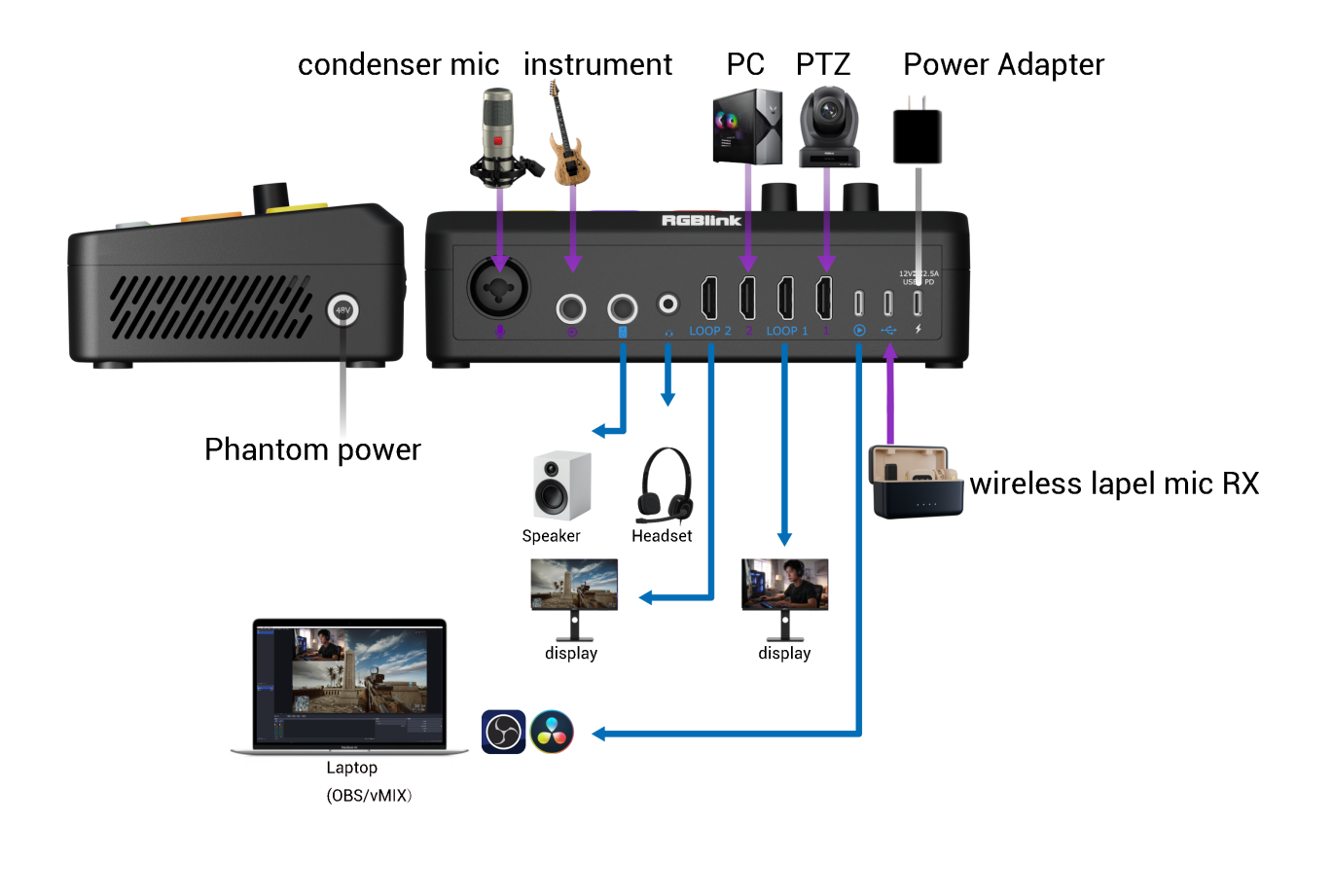
First-Time Use
Refer to the diagram above for the overall device connection.
For first-time use, connect in the following order.
Connect signal sources
Use high-quality HDMI cables to connect your PC or camera to HDMI 1 and HDMI 2.
Connect video monitoring devices
Use high-quality HDMI cables to connect LOOP 1 and LOOP 2 to monitors respectively, to monitor the video feeds from HDMI 1 and HDMI 2.
Connect microphones
Connect condenser microphones and electric guitars to XLR and 6.35mm TRS respectively; connect wireless microphone receivers to the corresponding input.
Connect audio monitoring/playback devices
Connect speakers to the 6.35mm TRS port; connect headsets to the 3.5mm TRRS port. Important: If the speakers are powered, to avoid damage during connection, first unplug the speaker power, then connect to Ystreamer, and finally power on the speakers.
Connect outputs
🚨 Before Connecting

The UVC output must be connected directly to a computer. Connection through a USB hub, or other intermediary device is not supported.

Using unsupported intermediary devices may cause the computer to fail to detect the device, or detect it as a USB 2.0 device, which may affect normal operation.
Use a high-quality USB A-C or full-featured USB C-C cable to connect the UVC output port to your streaming host (desktop or laptop).
Connect power
Use the included USB-C cable to connect the power port to the included power adapter (PD 35W), then plug the power adapter into a desktop or wall power outlet.