Online Manual
mini-iso-manual

1.3 Ports Info
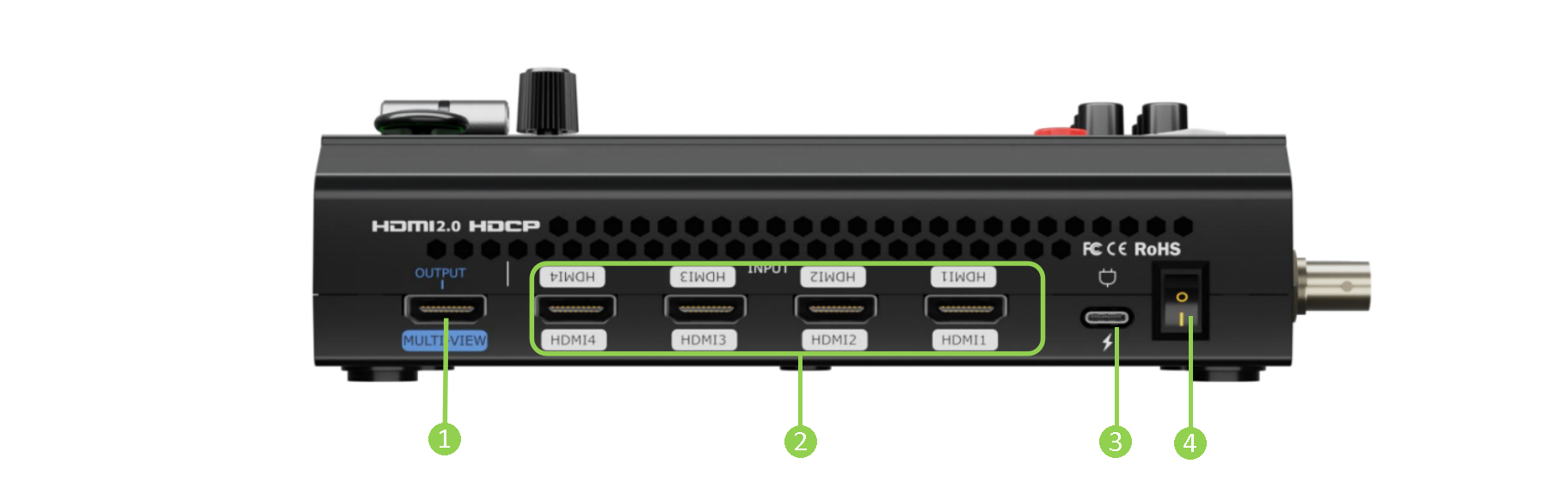
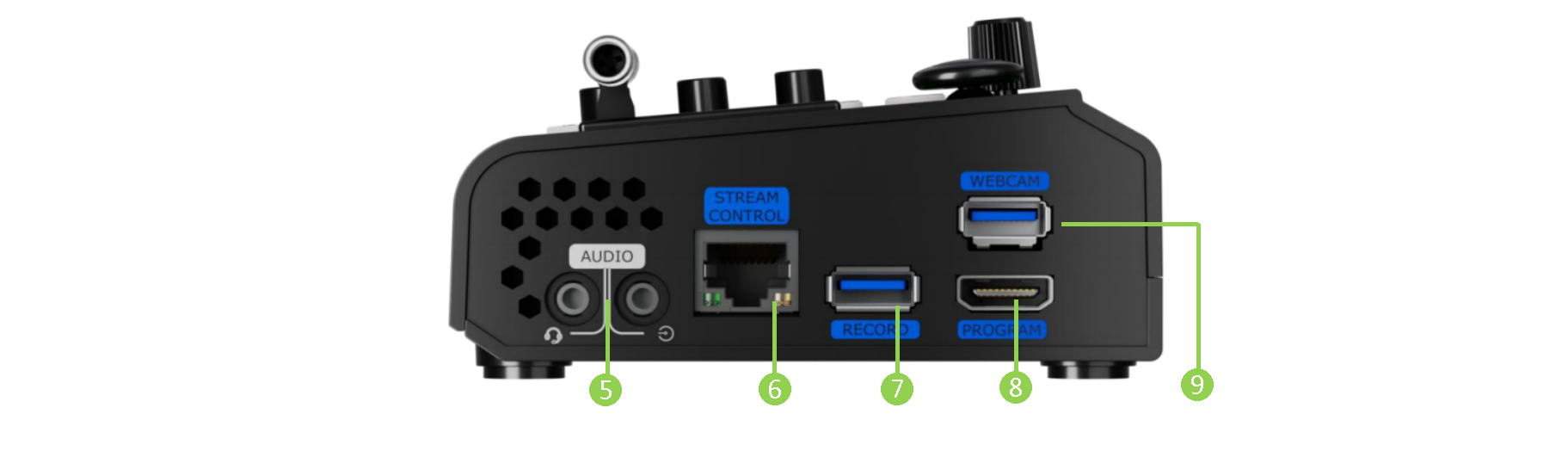
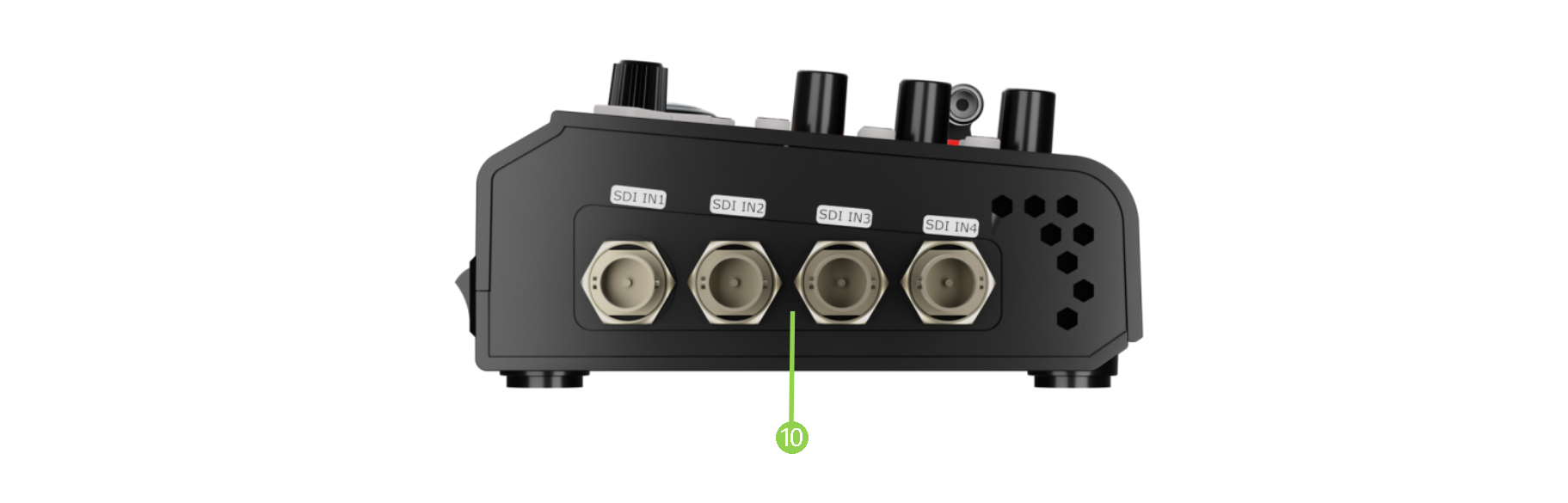
| No. | Item | Description |
|---|---|---|
| ❶ | HDMI Multi-View Output Port | Monitor the audio and video of all channels, as well as the recording and live-streaming status when connecting to a monitor. |
| ❷ | HDMI 1-4 Input Port | + Four HDMI input ports that can be connected to (HD) UHD cameras, computers and other input sources. + Input resolution supports up to 4K and is backward compatible. |
| ❸ | USB-C Power Connector | Support PD protocol, 12V/2.5A. |
| ❹ | Power Switch | Boat-shaped switch and downward to power on. |
| ❺ | Headset Interface Line In | + Headset interface; Through the headset separation cable, you can split the interface into one passive MIC input and one audio output. + Active audio input to connect to a cell phone, computer or audio console. |
| ❻ | Gigabit Ethernet Port | + Control: connect a camera and can directly control the camera. + Streaming: connect to the internet and can be used for webcasting. + TAO Cloud web control |
| ❼ | Record | Insert the mobile SSD or U disk to record PGM directly. Act as a video input (UAC ) when connecting to a camera. |
| ❽ | HDMI Main Output | The signal outputted to show on the main screen. |
| ❾ | Webcam | USB Streaming Interface: capture the screen through the third-party streaming software and stream it to the live broadcasting platform for live broadcasting. |
| ❿ | SDI 1-4 Inputs | + Four SDI input interfaces can be connected (to HD cameras, computers, and other input sources.) to FHD cameras and other devices with SDI output interface. + Input resolution support up to 2K and backward compatible. + Input supports 3G/HD/SD-SDI. |
📢  Compatibility Notice

Compatibility may vary between UVC camera models and manufacturers. If a connected camera cannot be detected or does not function properly, please contact RGBlink Technical Support.