Online Manual
mini-iso-manual

3.8 About Layers
mini-ISO supports adjusting the size and position of layers in a picture-in-picture (PIP) layout.
Select Layer A or Layer B and use the front-panel buttons and the 5-direction joystick to adjust the layer.
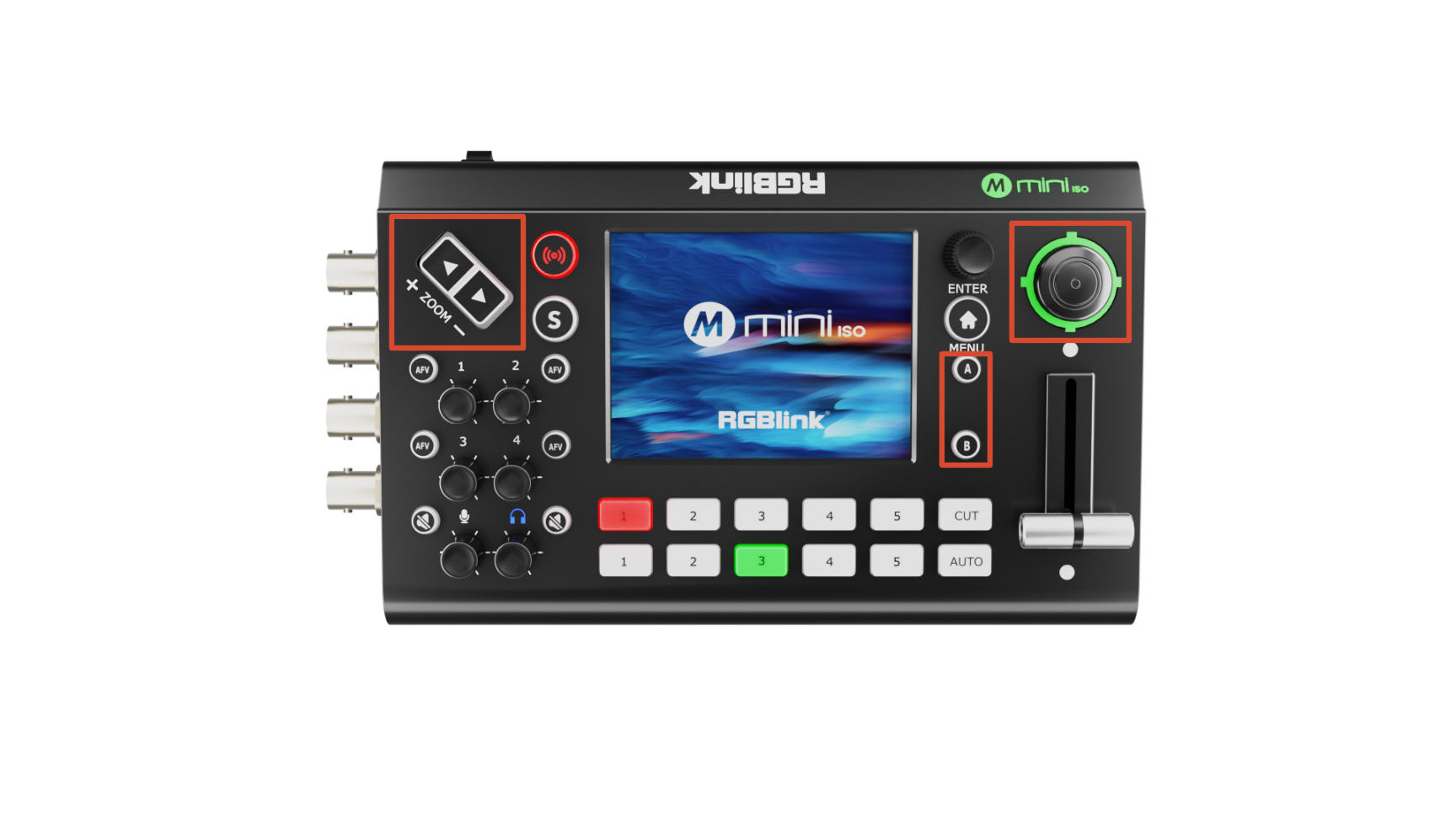
- Close the main menu and make sure the signal source window is not highlighted in yellow.
- Press the A or B button on the front panel to select the main or sub-layer.
- Press the corresponding number button on the front panel to select the input source.
- Use the ZOOM IN/OUT buttons to adjust the layer size.
- Use the five-way joystick to adjust the layer position.
📢  Notes

Layer adjustments are saved to the current scene in real time.