Online Manual
mini-pro v3 User Manual

3.6 Video Output
mini-pro provides two independent video outputs:
- PROGRAM (PGM) output
- MULTI-VIEW (PVW) output
Depending on your workflow, they can be configured to output PVW 1/2, PGM, HDMI 1–4 or TP (Test Pattern)
📢 Important

PGM and Multi-view share the SAME output resolution. After you set the PGM output resolution, Multi-view uses the same resolution.

The Multi-view resolution is not configurable separately.
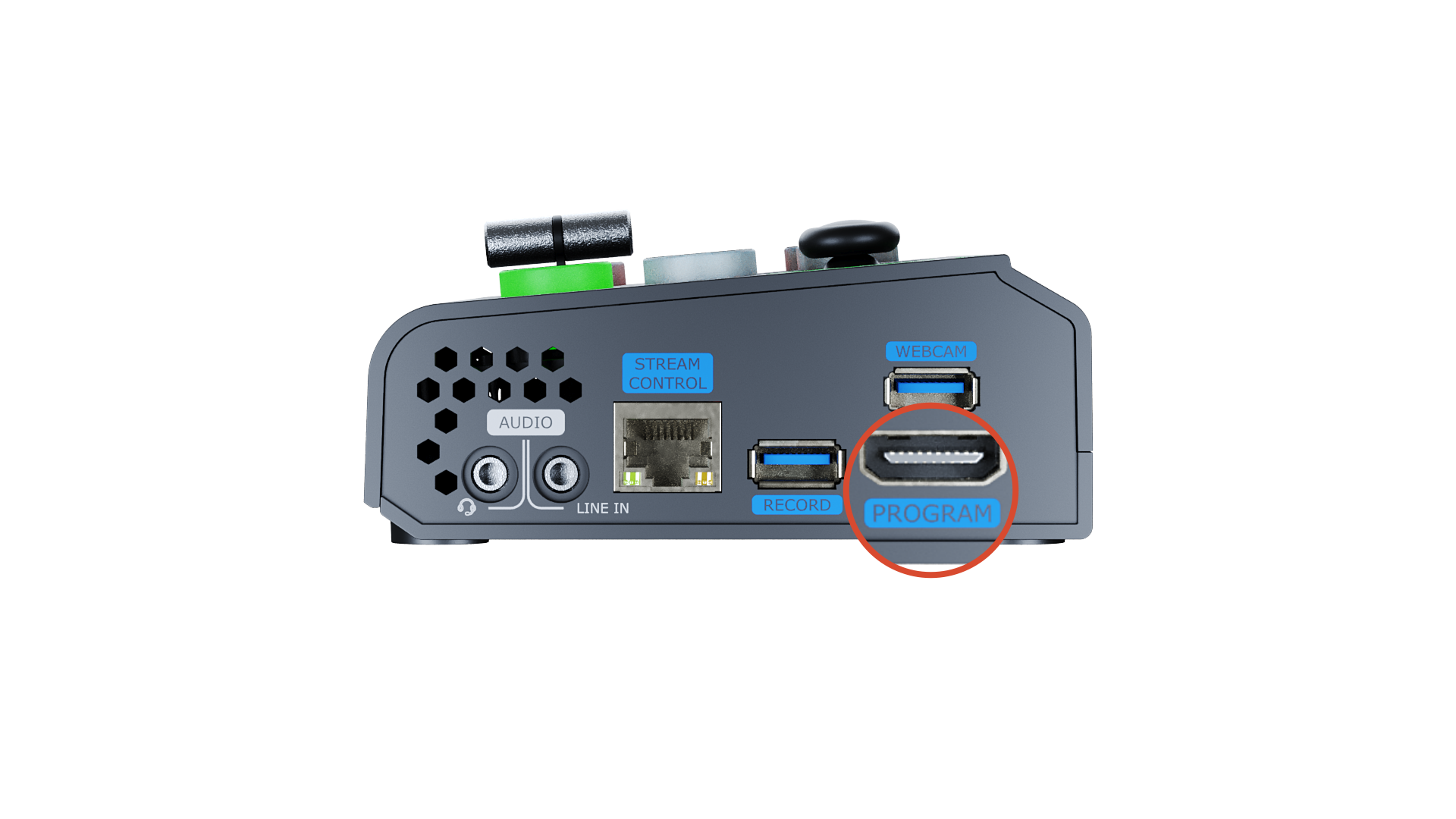
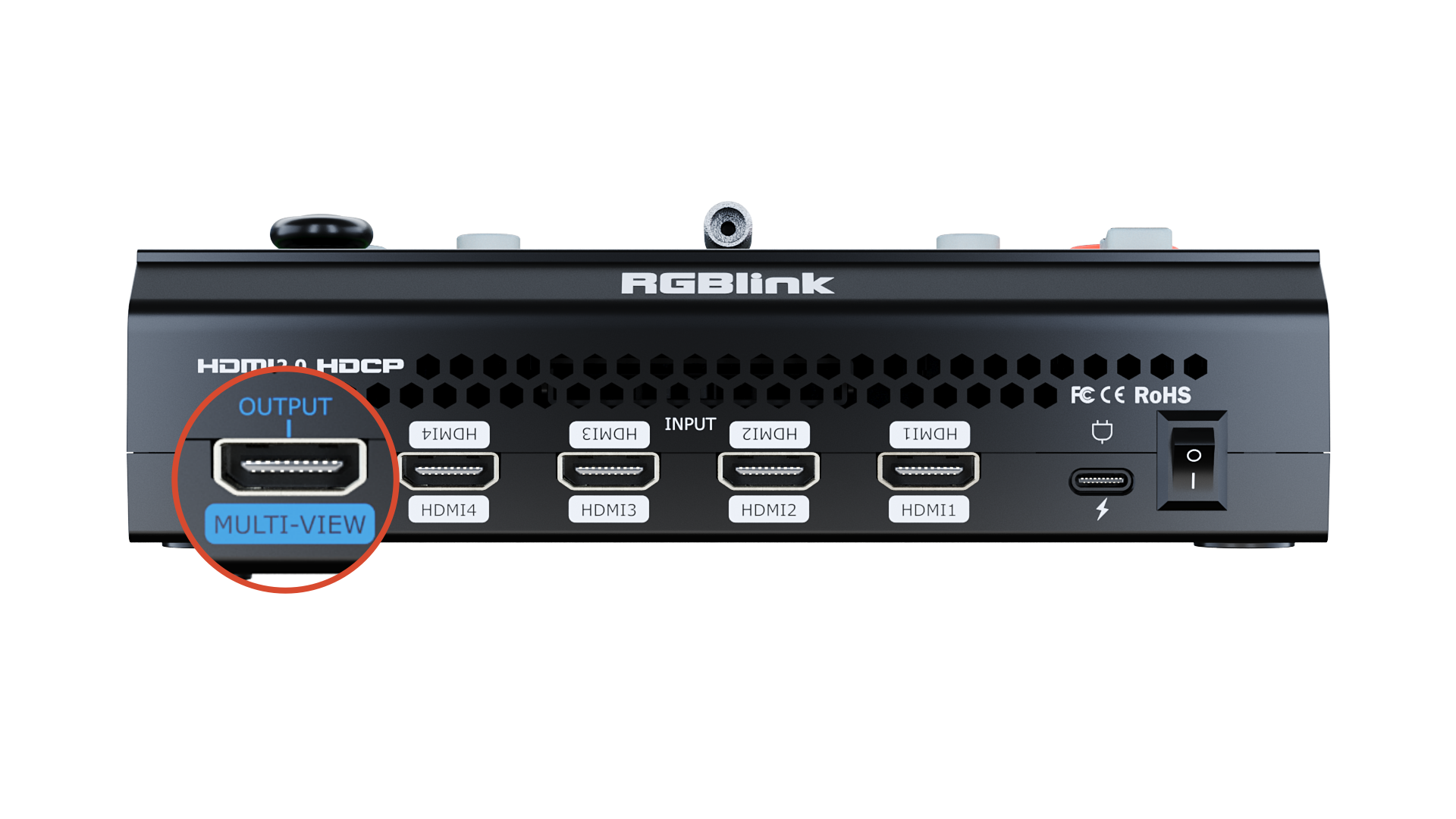
This allows simultaneous program output and multi-view monitoring without manual switching, making operation more intuitive and efficient.
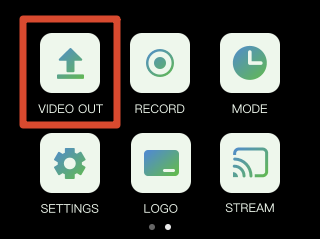
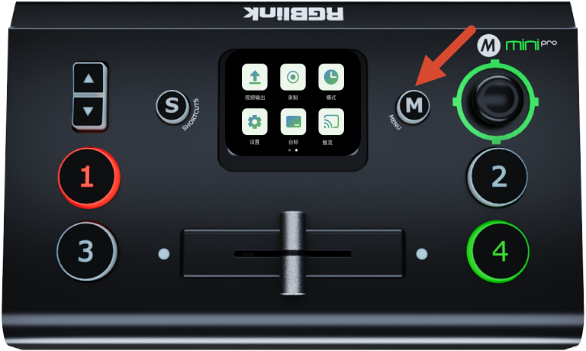
Press the M button to open the main menu, then tap VIDEO OUT to enter the output settings page.
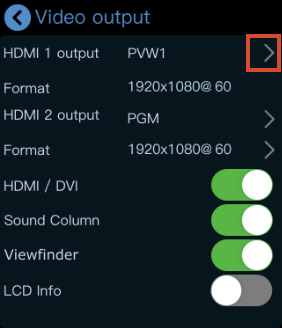
HDMI 1 Output
HDMI 1 outputs the multi-view preview (PVW) by default.
Tap the > icon on the right side to select another output source.
HDMI 2 Output
HDMI 2 outputs the PGM feed by default.
- Tap the > icon on the Format column to configure the resolution according to your requirements.
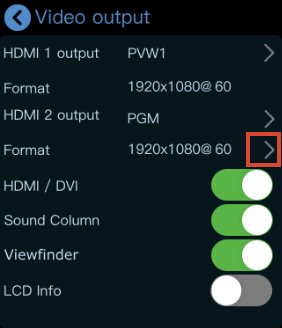
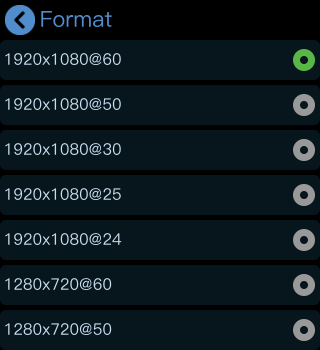
- Tap the > icon on the right side to select another output source.
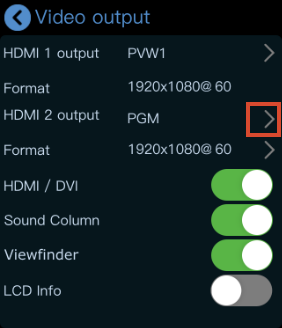
HDMI/DVI Mode
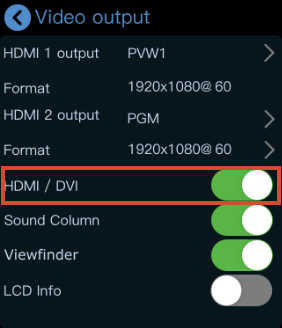
The HDMI/DVI option is enabled by default. This feature is designed for setups using different types of display devices simultaneously, such as:
- DVI devices
- LED controller/sender cards
- Monitors with DVI input
- HDMI devices
- Monitors with HDMI input
When enabled, mini-pro automatically adapts to the connected display type.
Viewfinder
When Viewfinder is enabled, a white frame will appear on the PVW preview screen to assist with composition and framing.
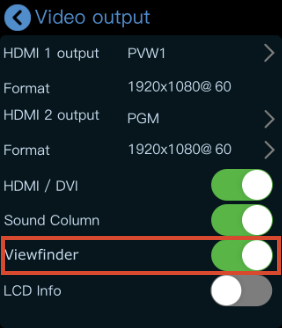 | 👉 | 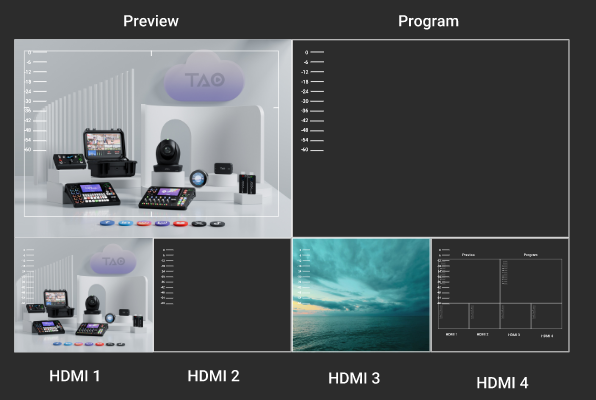 |
|---|
LCD Information Display
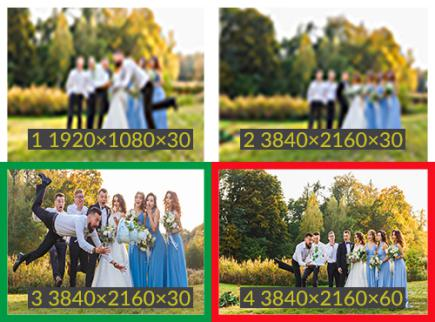
When LCD Info is enabled, the interface switches from Simple Mode to Standard Mode.
In Standard Mode, the resolution of all four input sources is displayed.
 | 👉 |  |
|---|
View the Output
After connecting a display, you can directly monitor the configured output. After configuration:
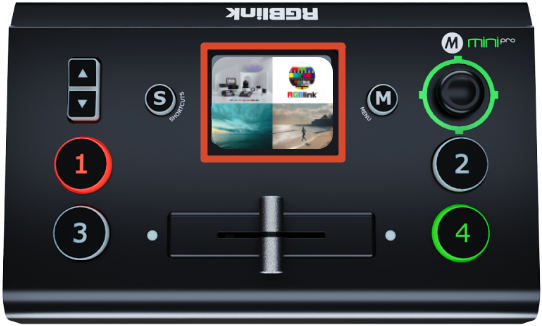
- Press the M button to return to the main menu
- Press M again to switch pages
- Press M once more
The touchscreen will then enter the 4-view monitoring interface.
 | 👉 |  |
|---|