Online Manual
mini-pro v3 User Manual

4 Upgrade
mini-pro supports online upgrades.
Before You Start
- Connect the mini-pro to the computer using an Ethernet cable.
- Open the network settings on the computer and ensure the computer and mini-pro are connected to the same LAN. DHCP is recommended for automatic IP address assignment to ensure proper communication.
Upgrade Procedure
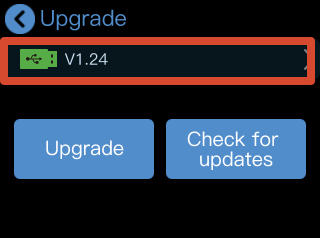
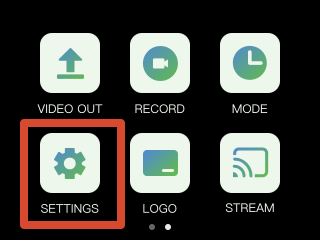
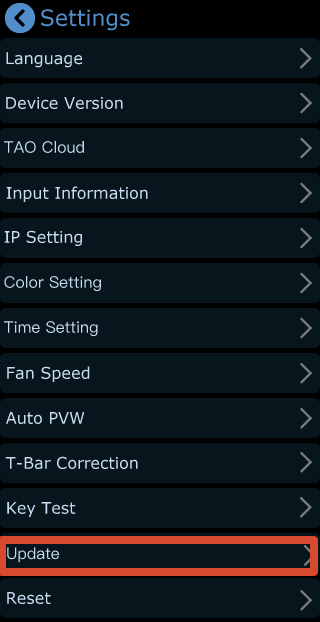
- Go to SETTINGS > Upgrade to open the upgrade page.
- If the device is already running the latest version, tap Check for Updates, the page will display Currently in the latest version along with the current version number.
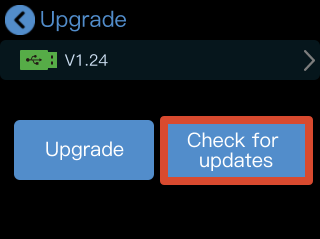

- If a new version is available, the page will display New Version Available.
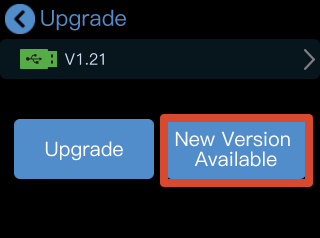
- Tap New Version Available to view the latest version information. Then tap Download and Update to download the upgrade package.
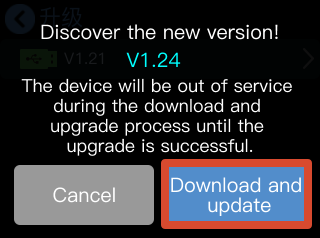
- The download progress will be displayed during the process.
The download may take approximately 10 minutes, depending on the network speed.

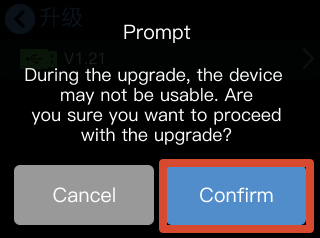
- After the download is complete, tap Confirm to start the upgrade.
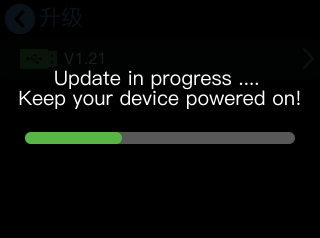
- The upgrade progress bar will be displayed during the upgrade process. Once the upgrade is complete, the device will restart automatically.
📢  Important

DO NOT power off the device during the upgrade process.

Otherwise, the upgrade may fail.
- After the device restarts, the updated version number will be displayed on the Upgrade page.