Online Manual
TAO-1pro-2

3.1 Touchscreen
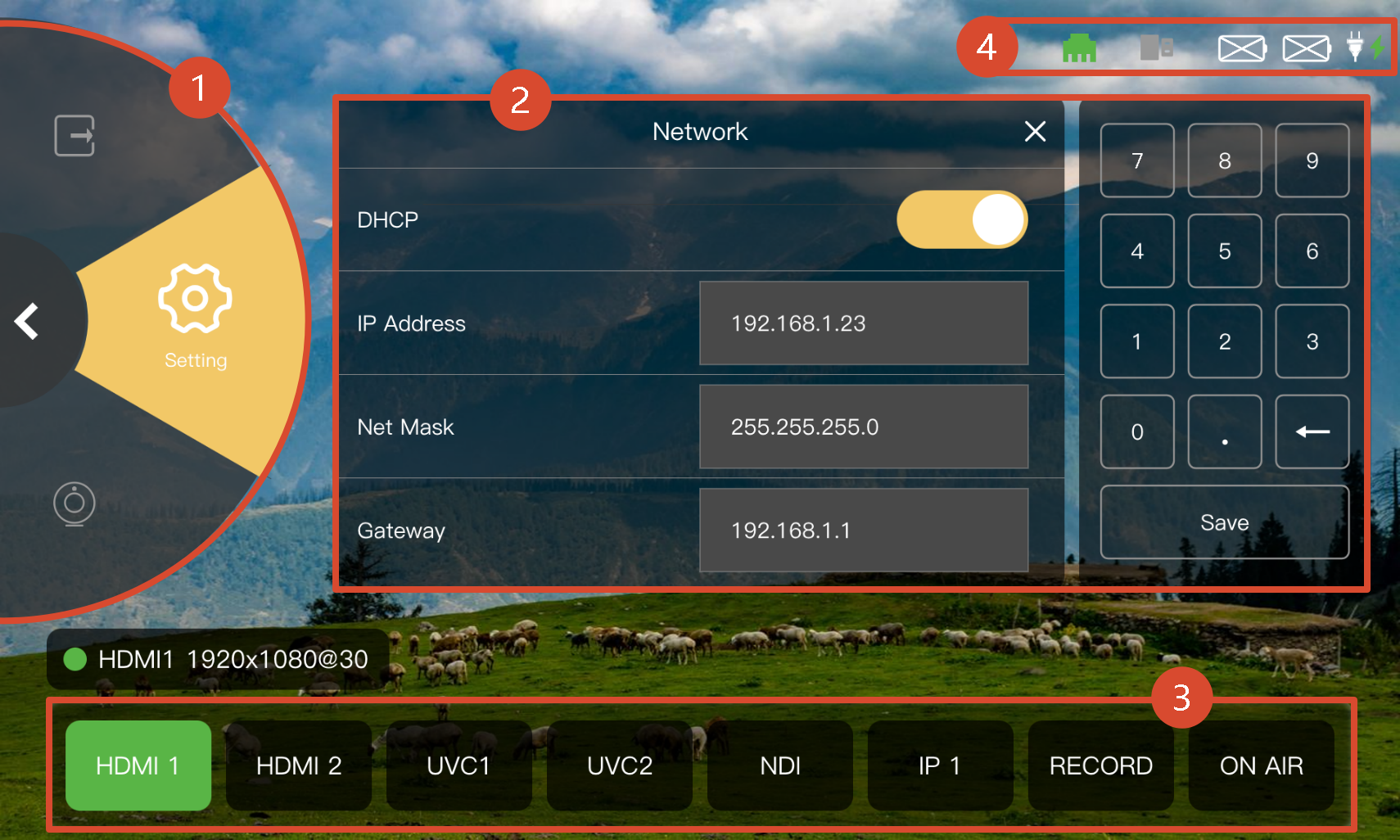
| No. | Area | Operation |
|---|---|---|
| ① | Navigation Area | Includes four main functions: Input, Output, UVC Control, and Settings. Rotate the scroll wheel clockwise or counterclockwise to select a function. |
| ② | Operation Area | Tap the screen to operate the corresponding function page. |
| ③ | Selection Area | Includes: + Input Sources: Select an input source to display its settings in the Operation Area. + RECORD: Available only when an external storage device is connected. + ON AIR: Starts or stops streaming. |
| ④ | Status Area | Displays device status, including network connection, power, and USB connection status. |