Online Manual
TAO-1pro-2

3.2.3 NDI
TAO 1pro 2 supports NDI encoding and decoding, allowing users to send or receive NDI signals over a local area network.
📢  Notes

NDI encoding and NDI decoding cannot be enabled simultaneously.
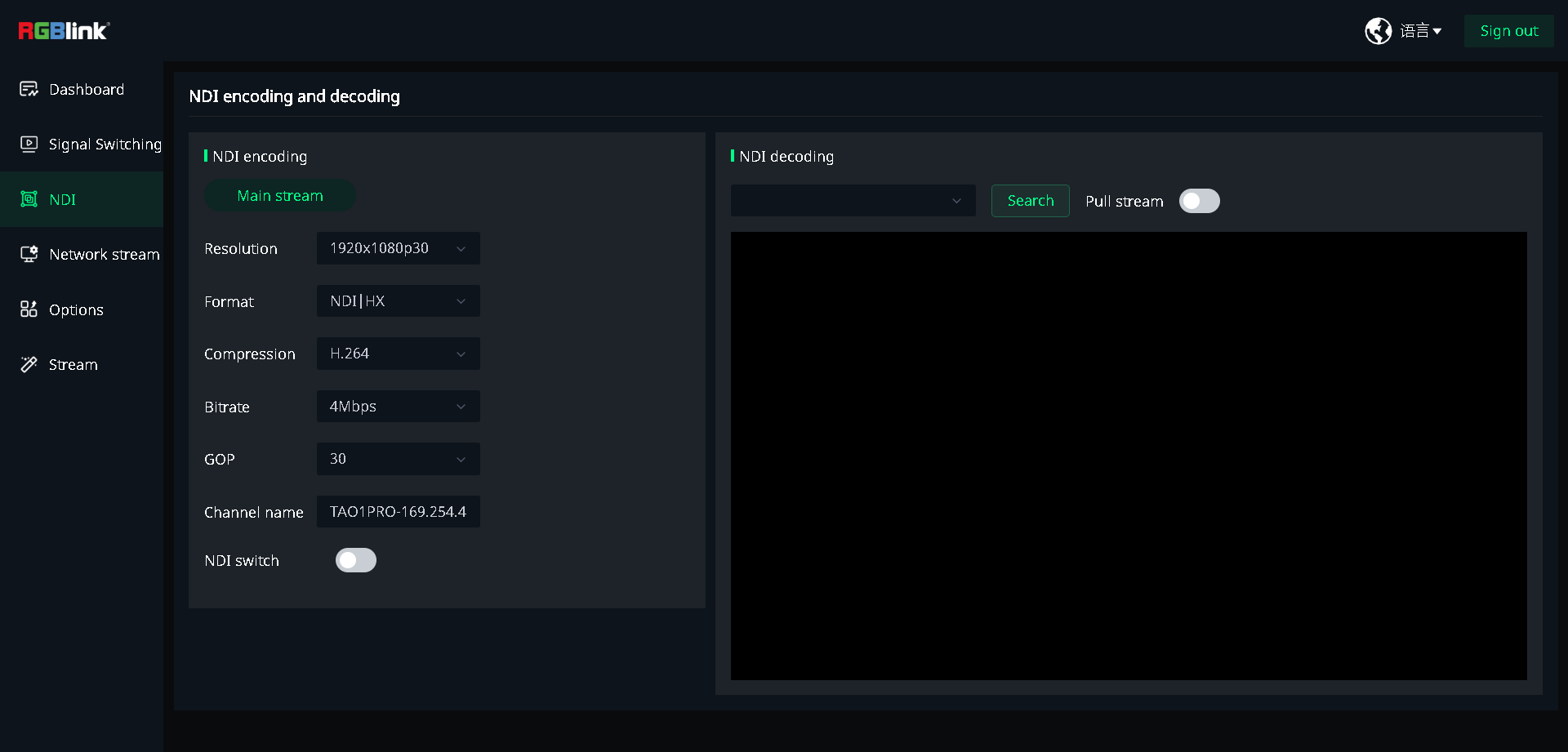
NDI Encoding
NDI encoding converts the video output of TAO 1pro 2 into an NDI signal and sends it over the network to other NDI devices or software.
- Enable NDI Switch.
- Select the parameters from the Resolution, Bitrate and GOP drop-down lists.
- Format defaults to NDI|HX, and Compression defaults to H.264.
- Save the settings.
📢  Notes

Channel name  is automatically assigned by the system and cannot be modified.
NDI Decoding
NDI decoding receives NDI video signals over the network and uses them as the NDI input source on TAO 1pro 2.
- Tap Search to search for available NDI sources.
- Select an NDI source from the drop-down list.
- Enable Pull stream.
- View the received NDI video on the screen.
NDI Tools
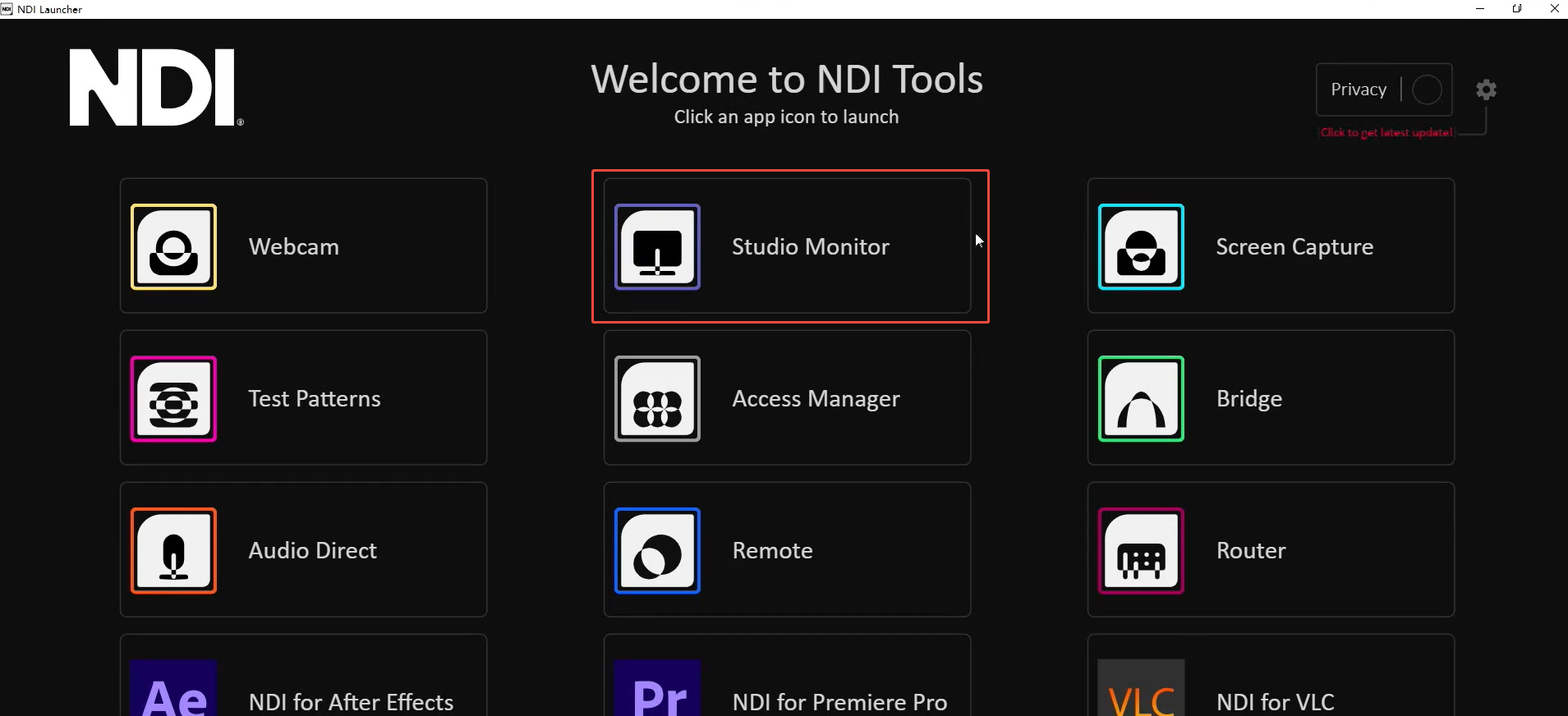
To view or use the NDI signal sent by TAO 1pro 2 on a computer, use NDI Tools.
Procedure:
- Go to NDI – Removing the limits of video connectivity. to download and install NDI Tools.
- Connect the computer and TAO 1pro 2 to the same local area network.
- Enable NDI encoding on TAO 1pro 2.
- Open Studio Monitor in NDI Tools and select the TAO 1pro 2 NDI signal from the device list. The signal is named
TAO1PRO-IP address. - View the NDI video.
📢  Notes

NDI Tools is a third-party computer application. Its features and interface may vary depending on the software version.