Online Manual
TAO-1pro-2

3.2.6 Stream
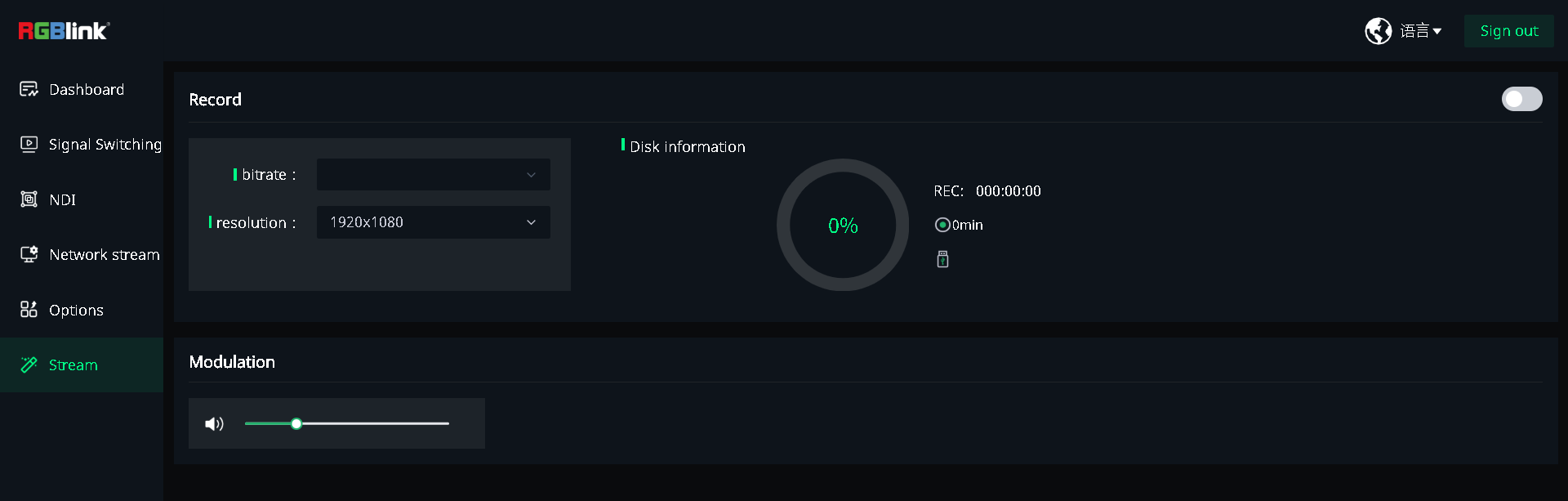
Stream is used to configure recording settings, view storage information, and adjust the output volume.
Record
The recording resolution and bitrate are fixed. Storage device information is displayed on the right.
- View the recording resolution under resolution.
- View the recording bitrate under bitrate.
- View the available storage capacity and estimated recording time under Disk Information.
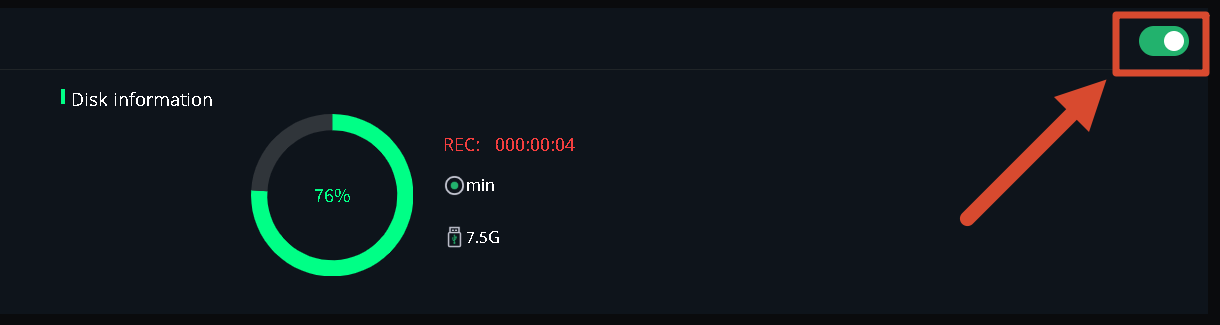
- Enable the recording switch in the upper-right corner to start recording. The RECORD button in the Selection Area on the device screen also turns red.
📢  Notes

Make sure a compatible storage device is connected before starting a recording.
Volume Adjustment
Drag the volume slider to adjust the output volume.