Online Manual
TAO-1pro-2

3.1.3 UVC Control
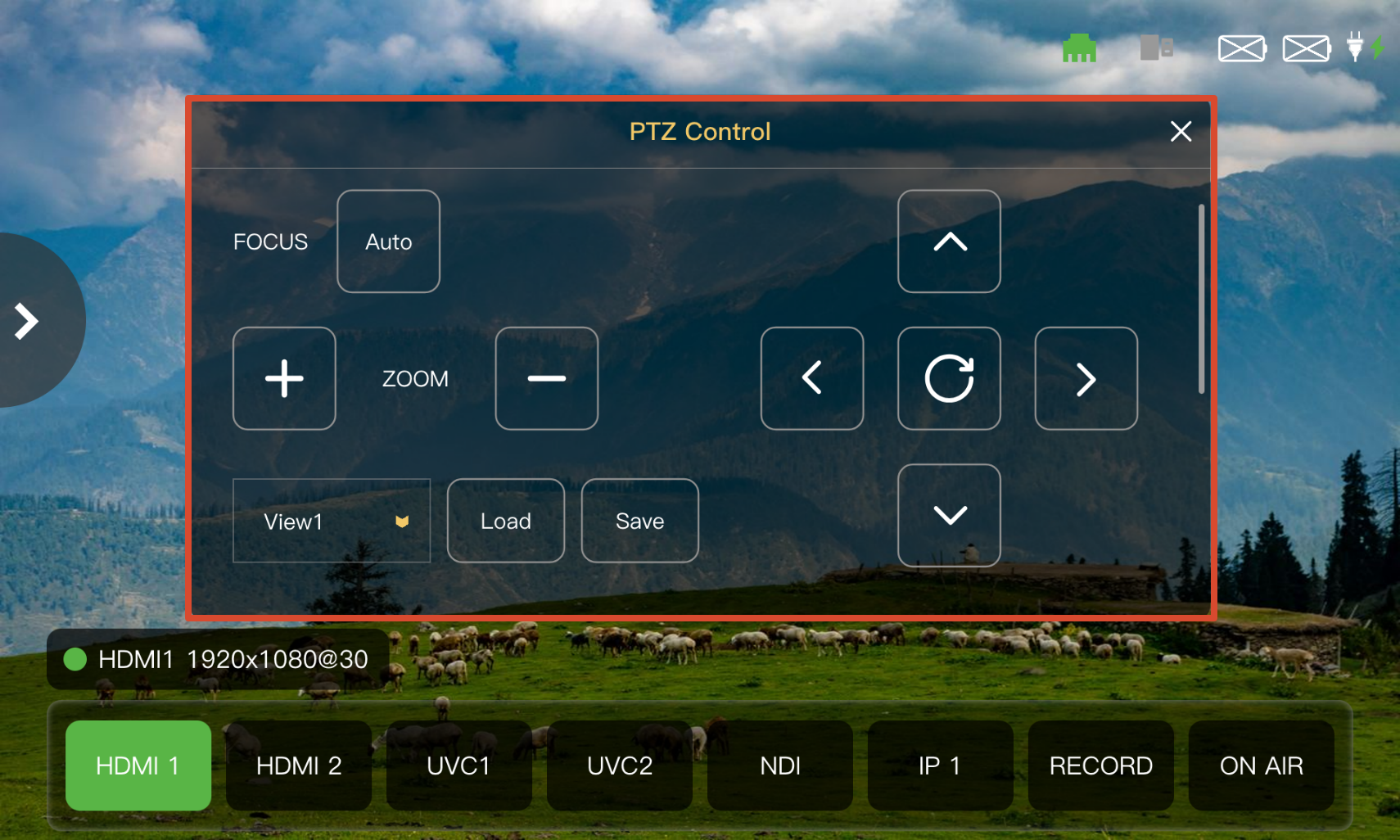
After connecting a PTZ camera that supports UVC control, select UVC Control in the Navigation Area to control the camera in the Operation Area.
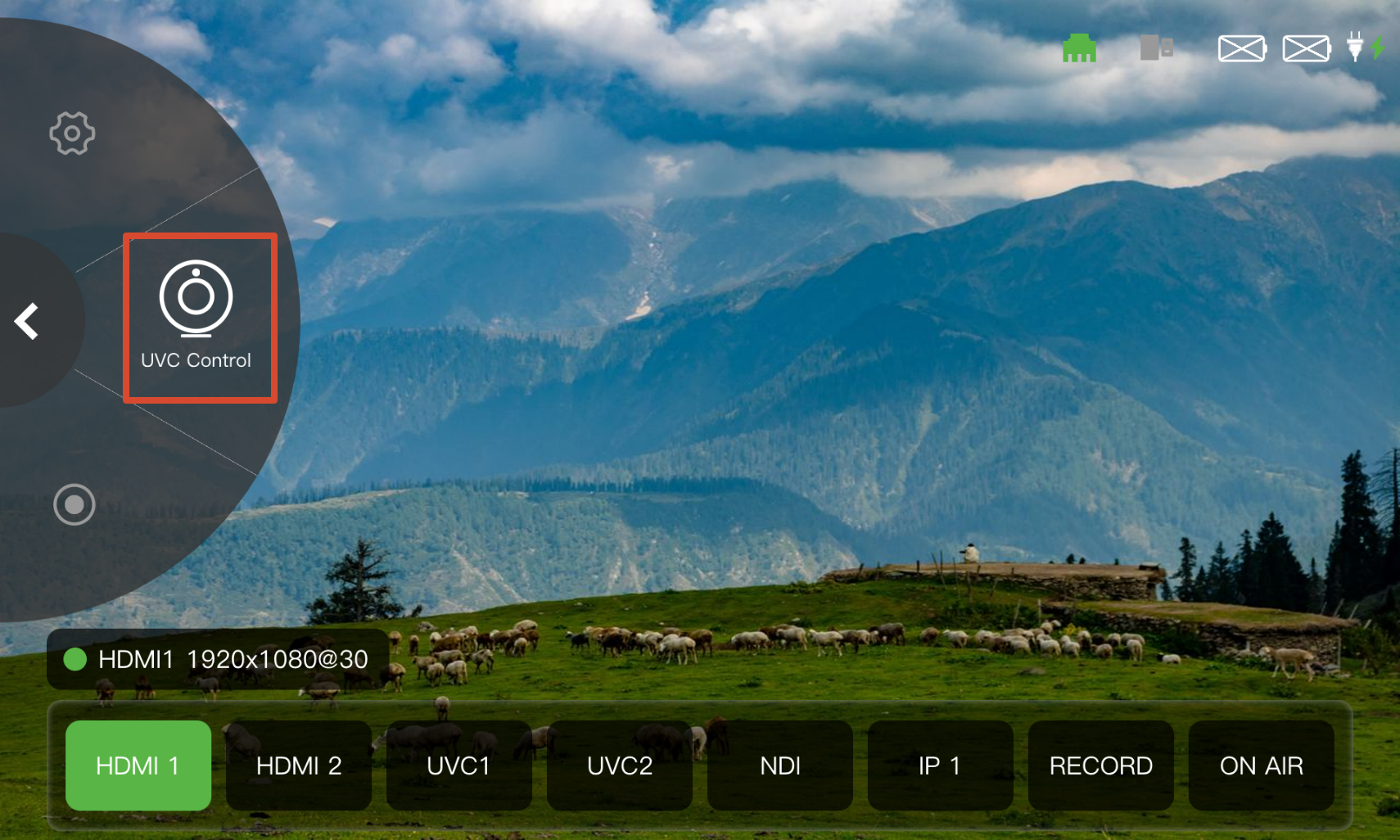 | 👉 |  |
|---|
Display
| Function | Operation |
|---|---|
| Focus | Enable Auto to activate autofocus. |
| ZOOM | Tap + to zoom in or - to zoom out. |
| Position | Tap the arrow buttons to adjust the camera position. Tap the reset button to return the camera to its initial position. |
Views
Save the current PTZ parameters and quickly recall the corresponding camera position using a View.
- Adjust the camera to the desired position.
- Select a view from the scene drop-down list. Six views are available.
- Tap Save to save the current PTZ parameters.
- Select a saved view from the drop-down list.5. Tap Load to recall the corresponding PTZ parameters.