Online Manual
TAO-1pro-2

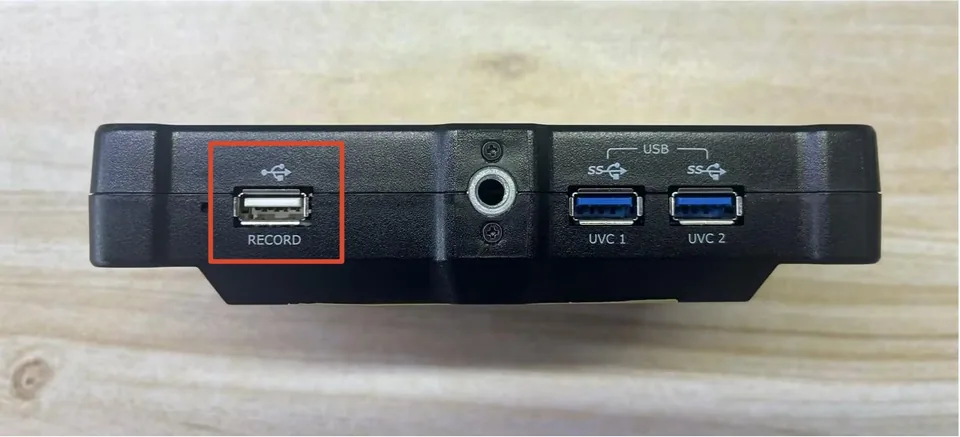
3.1.4 RECORD
TAO 1pro 2 supports recording the current program output to an external storage device.
Connect the storage device to the RECORD port before using the recording function.
🚨  Warning

Do not disconnect the external storage device during recording. Doing so may cause data corruption or prevent the recording file from being saved properly.
Starting a Recording
- Connect the external storage device to the RECORD port.
- Check the Status Area in the upper-right corner of the device screen to confirm that the USB device is detected.
- Tap RECORD in the Selection Area to start recording. The button turns red.
- The recording duration is displayed on the device screen.
Stopping a Recording
- Tap the red RECORD button to stop recording.
- Wait for the recording file to finish saving.
- Disconnect the external storage device only after the recording is complete.
📢  Notes

If no external storage device is connected or the device is not detected, the RECORD button in the Selection Area is grayed out and a corresponding message, such as _"USB drive not detected"_, is displayed.
Recording Specifications
| Item | Specification |
|---|---|
| Video Format | MP4 |
| Video Codec | YUV420, 8-bit |
| Video Resolution | 1080p |
| Video Frame Rate | 30 fps |
| Audio Format | AAC |
| Audio Sample Rate | 48 kHz |
| Audio Bit Depth | 16-bit |