Online Manual
mini-edge SDI User Manual

1.3 Interface Panel
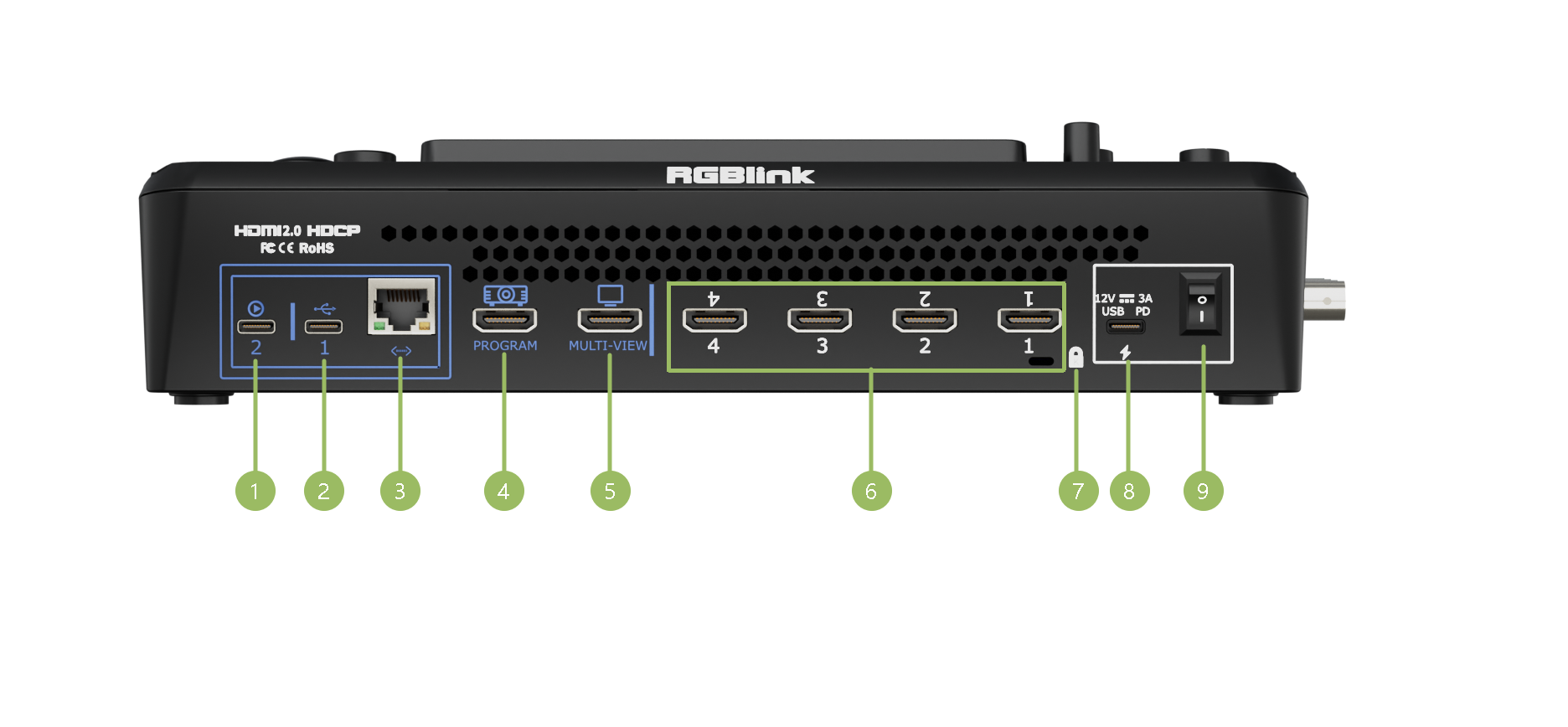
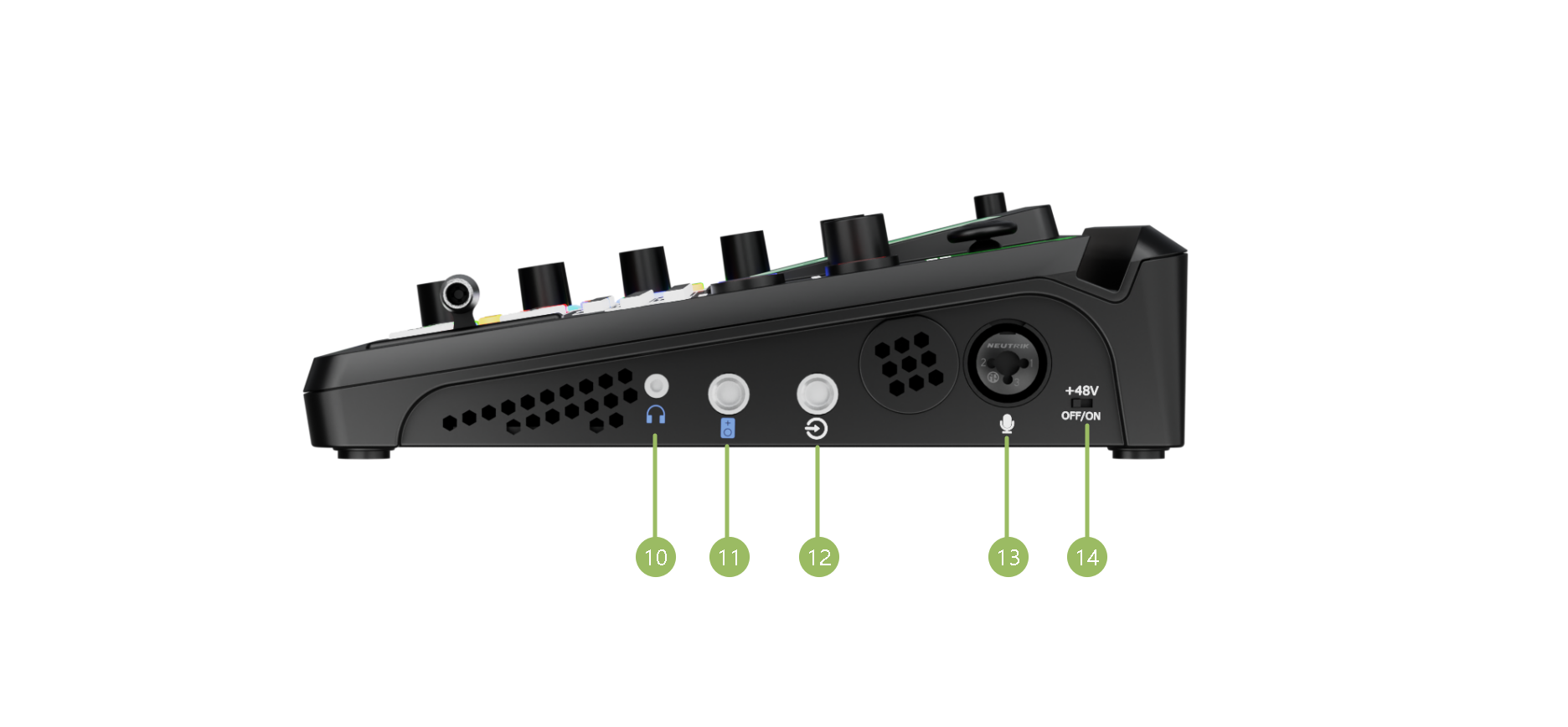
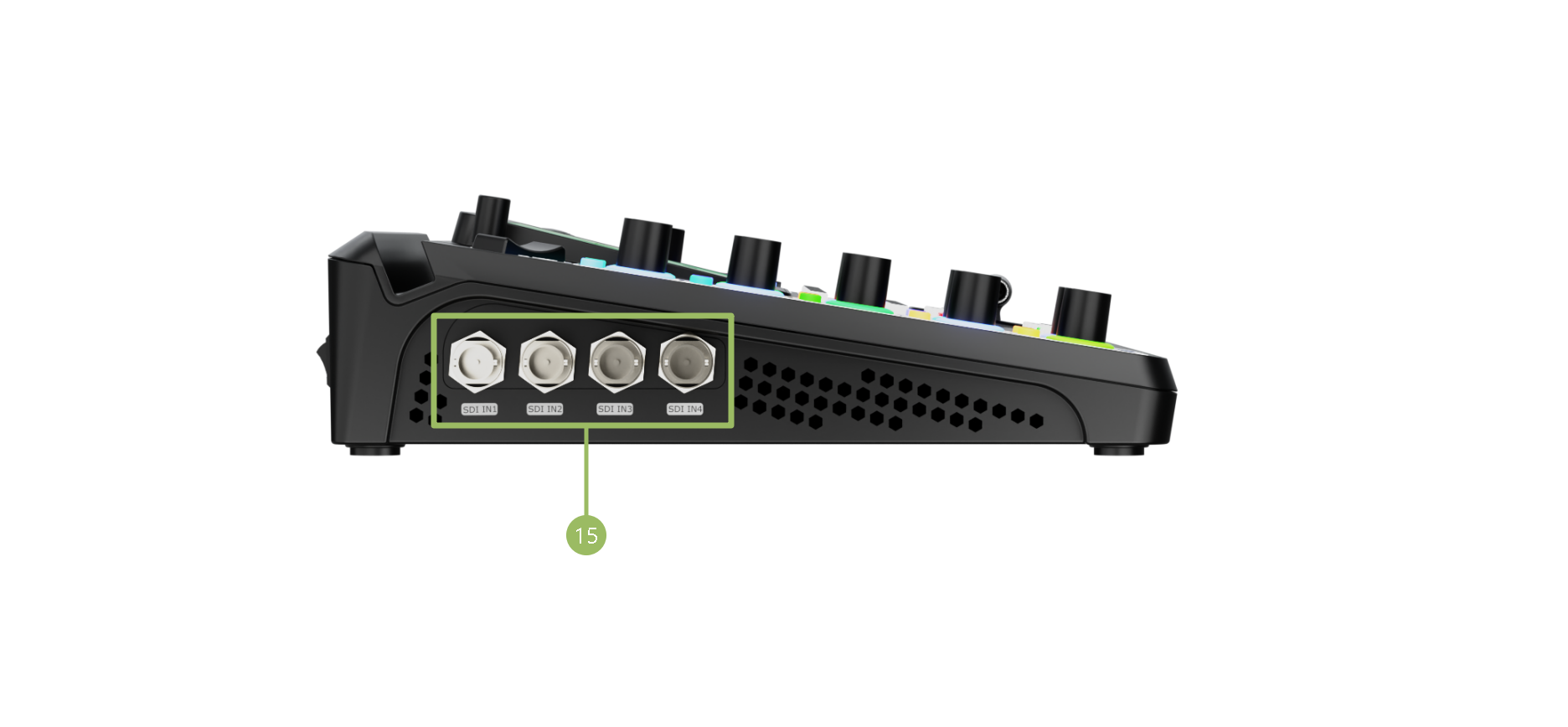
| No. | Interface | Description |
|---|---|---|
| ❶ | UVC | UVC audio and video output port. Recognized as a webcam to provide an audio and video source in streaming or remote video conference when connected to a computer (via USB-C cable) or an Android device (via OTG cable). |
| ❷ | USB-C [1] | ● Connect to a USB camera as the fifth input signal (default function). ● Insert an SSD or U disk for recording. ● Insert a U disk to import audio, video, and graphic files. ● Network sharing from Cell phone with a USB-C cable connection and also Network sharing enable on cell phone. |
| ❸ | Ethernet Port | ● Achieve network connection for live streaming. ● Remote camera control. ● NDI HX2 encoding/decoding. |
| ❹ | PROGRAM Output | Default to output real-time scenes, and can be set as multiviewer Preview or Test Pattern. |
| ❺ | Multi-View Output | Default to be a multiviewer output, and can be set as Program or HDMI 14 / SDI 1-4. |
| ❻ | HDMI 1-4 IN | Four HDMI input channels for connecting HDMI sources. |
| ❼ | Locking Hole | Use the T-lock to fix the device. |
| ❽ | USB-C Power Socket | PD protocol support, 12V/3.3A. |
| ❾ | Power Switch | Boat-shaped switch. Press downward to turn on the switch. |
| ❿ | Headphone Output | 3.5mm mini-jack for audio monitoring. |
| ⓫ | 6.35mm TRS Jack | Balanced TRS audio output. |
| ⓬ | Line-in | Balanced 6.35mm TRS jack to connect to PC, mobile phone, or audio console. |
| ⓭ | MIC in | ● XLR+TS input port to connect to microphone. ● 48V Phantom Power supported. |
| ⓮ | +48V DIP Switch [2] | ● 48V Phantom Power switch ● Default to OFF. |
| ⓯ | SDI 1-4 Inputs | ● Four SDI input interfaces can be connected to HD cameras, computers, and other input sources. ● Input resolution supports HD and backward compatible. ● Input supports 3G/HD/SD-SDI. |
📢  Notes

[1] The USB-C port supports only one function at a time and does not support multiple devices connected through a USB hub or docking station.

[2] Phantom power should be enabled only when using a condenser microphone that requires external power. Disable phantom power before connecting other audio devices.
🚨 Hot-Plugging Warning

48V phantom power supplies operating voltage to condenser microphones through the XLR input.

Do not connect or disconnect microphones or XLR cables while 48V phantom power is enabled.

When phantom power is turned on, voltage is present on the XLR connector. Connecting or disconnecting cables under power may generate current surges that can result inloud pops or unwanted noise,microphone malfunctionordamage to the audio circuitry of the device or connected equipment.