Online Manual
mini-extreme ISO User Manual

2.2.10 Recording
mini-extreme ISO supports recording the Program output to a USB drive or portable SSD.
🚨  Warning

Wait until the recording file is saved before removing the storage device.

Otherwise, the file may be corrupted or fail to save.
Storage Detection and Recording
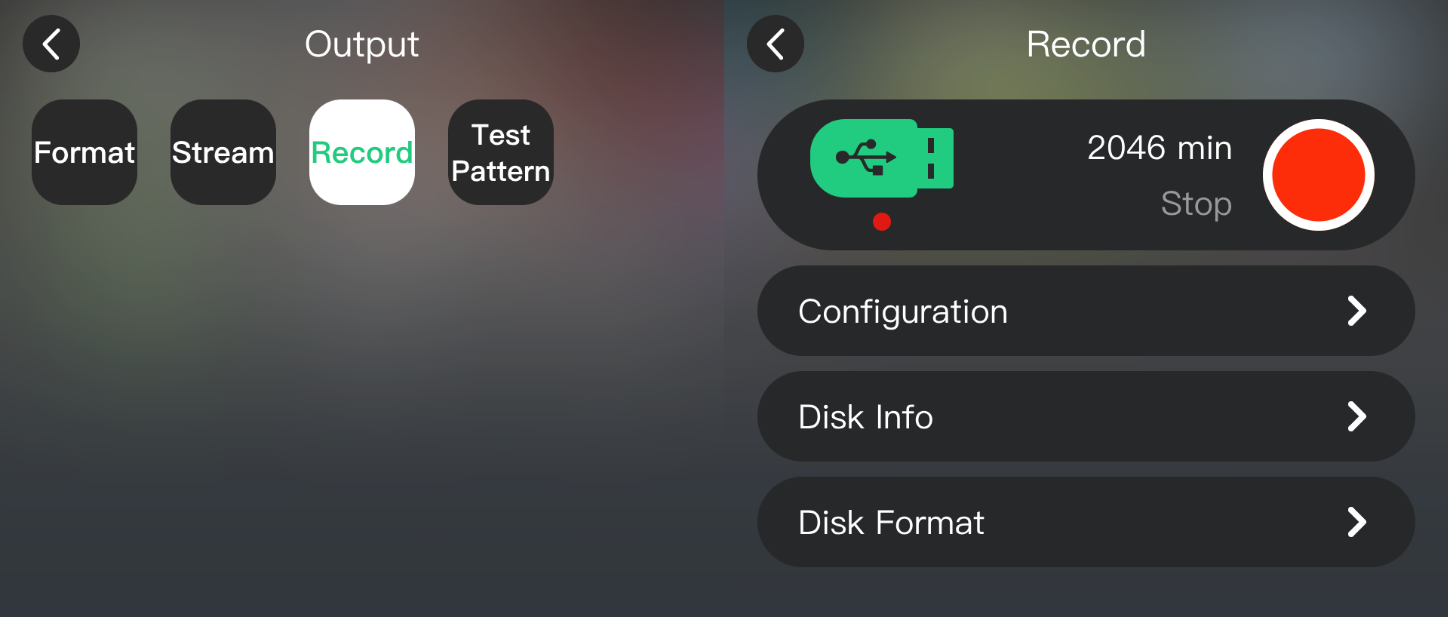
Connect a USB drive or portable SSD to USB 1 and wait for the device to detect it.
Go to OUTPUT > Record.
- Check the available recording time.
- Set the recording bitrate as needed.
- Tap the Record icon or press RECORD to start recording.
- Tap the Record icon or press RECORD again to stop recording.
📢  Notes

A higher bitrate provides better recording quality but requires more storage space.
Recording Modes
- Program Recording: Records the 4K@60Hz Program output.
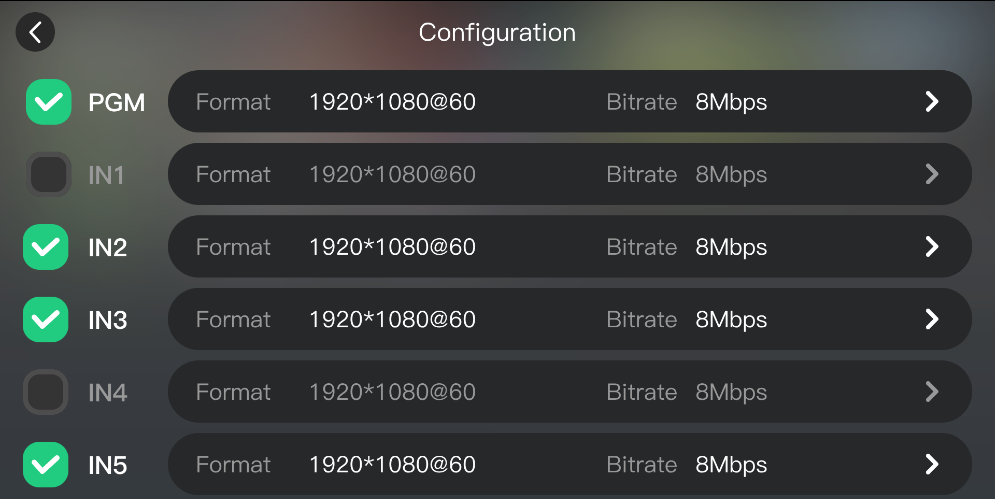
- ISO Recording: Simultaneously records 1 Program output and up to 3 other input sources. Configure ISO recording under Configuration.
Recording Files
Recording files are named with a timestamp.
If the device is offline or the time settings under Settings are incorrect, the timestamp may be inaccurate.

📢 Notes

- Format the storage device as exFAT.
- If recording fails, format the storage device as exFAT and try again.