Online Manual
mini-extreme ISO User Manual

4 Upgrade
🚨   Upgrade Notice

Do not power off the device during the update. Doing so may prevent the device from starting properly.
mini-extreme ISO supports online upgrade.
Before You Begin
- Connect mini-extreme to your computer using an Ethernet cable.
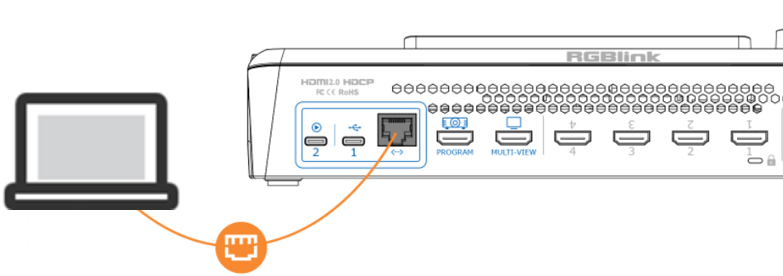
- Open the network settings on your computer and ensure that both the computer and the device are on the same local network. DHCP is recommended to allow automatic IP address assignment and ensure proper communication.
Steps
- Navigate to MENU > SETTINGS > Update
- If no update is available, the screen displays a message indicating that the current version is up to date.
- If a new version is available, the screen displays the new version number. Click Upgrade to download and install the update.
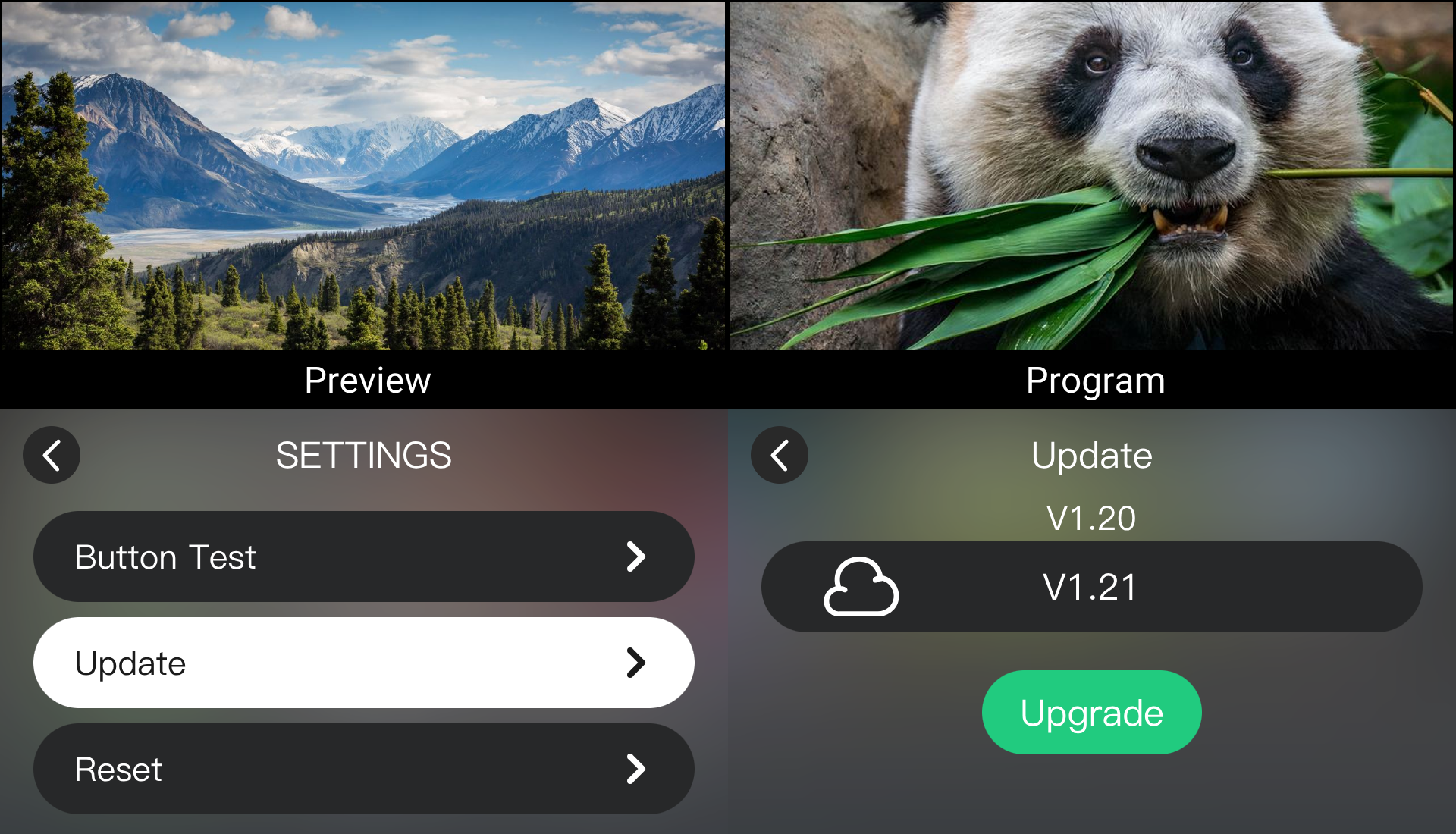
- The download typically takes approximately 10 minutes, depending on network conditions.
- Once the upgrade is complete, the device will restart automatically.
- After the device restarts, return to the Update page to verify the updated firmware version.